
Simplify Your Speaker Management
Speaker Management makes managing speakers the easiest part of event planning. Learn more about this Event Management capability.
Establishing and maintaining strong relationships with expert speakers is crucial in delivering impactful events. When teams are bogged down by the complexities of managing speaker data, focusing on the event experience is harder.
The Speaker Management capabilities of Veeva Vault CRM Events Management automate many administrative tasks involved. It provides specialized tools that centralize and organize speaker information, reduce manual effort, and minimize errors.
All data are stored in Veeva Vault CRM to give a complete picture across engagement channels.
Speaker Management Key Takaways
-
Streamlines process throughout the entire speaker management lifecycle.
-
Ensures compliance and budget adherence.
-
Benefits multiple teams across the organization.
Helping Biopharma Teams and Speakers
Event organizers can:
-
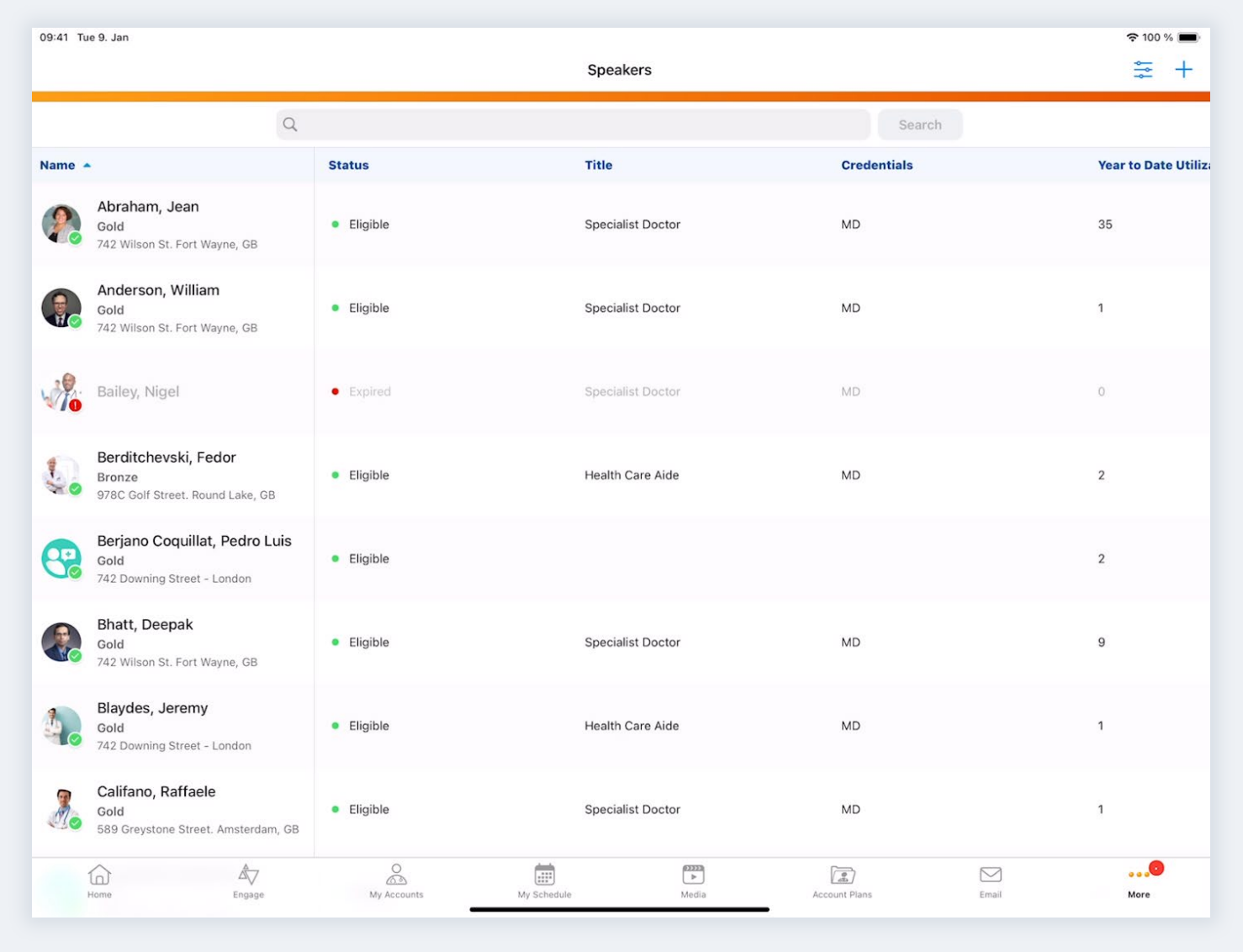
Access detailed speaker information: recent events, training history, speaker utilization rates, and spending caps.
-
Nominate accounts to become new speakers, or renominate existing speakers to be qualified to speak on additional topics.
-
Store and manage contracts, including services and rates, in a centralized system.
-
Filter speakers by training, qualifications, and contracted services.
-
Link speakers to accounts for consistent management and formatting.
-
Schedule speakers for future events based on eligibility and cap status for the next year.
Compliance and legal departments can:
-
Apply mandatory filters during speaker selection to ensure only eligible speakers are chosen.
-
Centralize speaker contracts to maintain contractual obligations and streamline audits.
Speakers can:
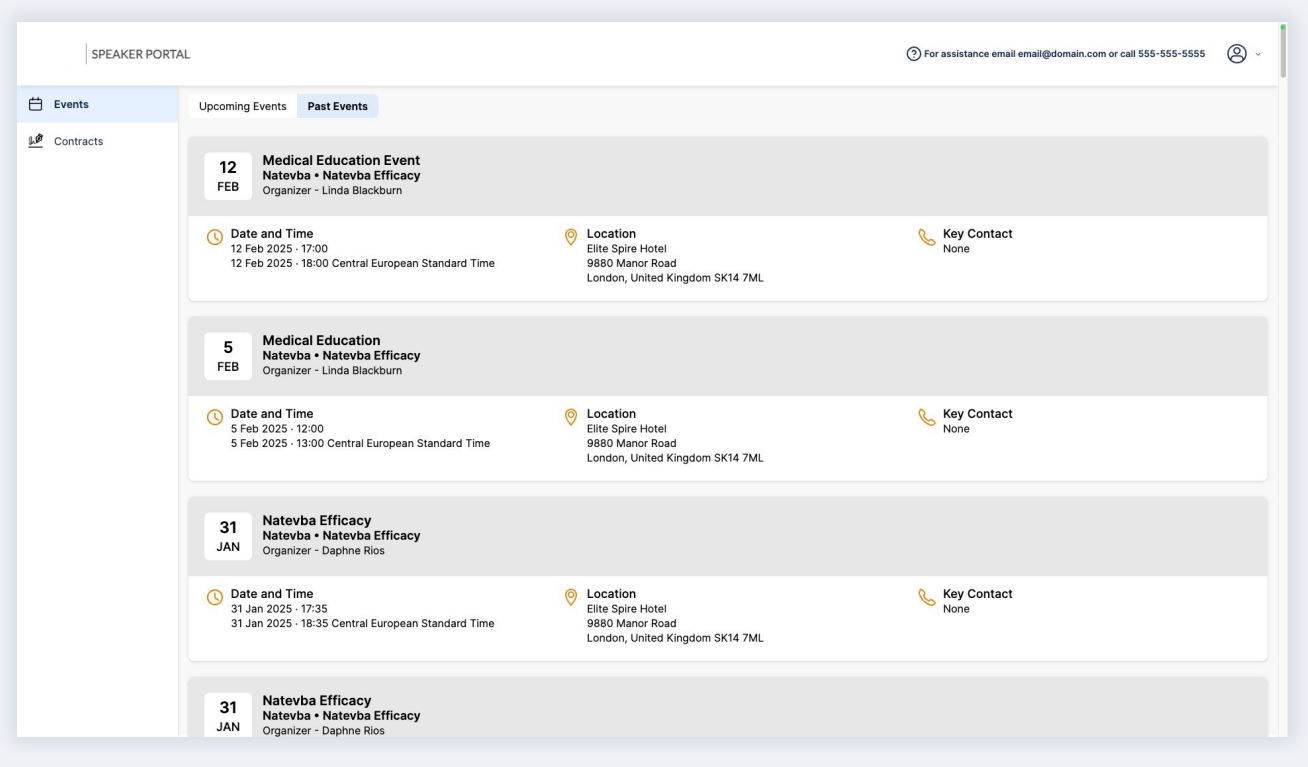
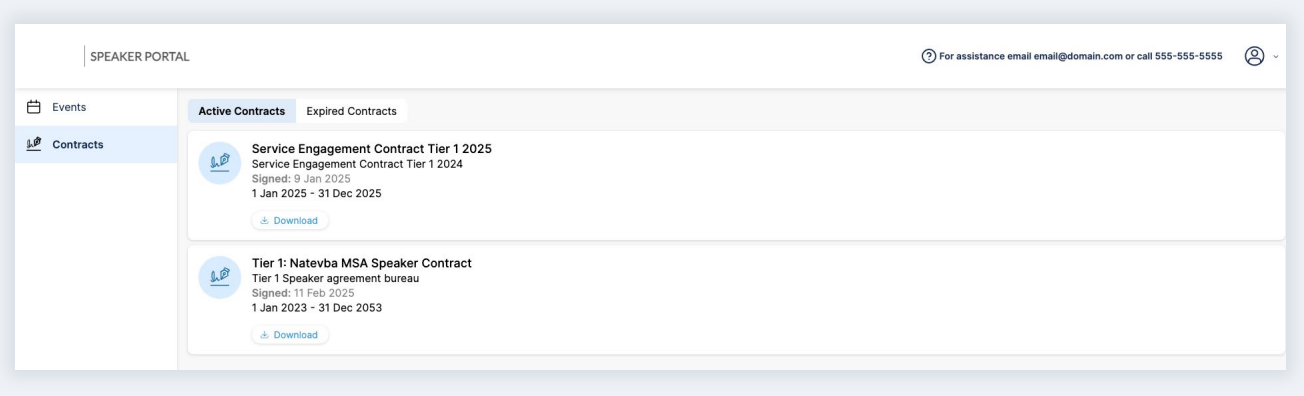
Access the Speaker Portal to:
-
View upcoming and past events.
-
Download active and expired contracts.
-
Prepare for upcoming events with available resources.
The Speaker Portal is enabled and managed within Vault CRM and is included in the Events Management license. Each CRM organization has its own dedicated Speaker Portal. Biopharma can customize the Speaker Portal with its logo, support contact information, privacy policy, and terms of use. Configurations can be done without Professional Services support.
SPEAKER PORTAL – EVENTS
SPEAKER PORTAL – CONTACTS
Speaker Management Features Help Field-Led Events by:
1. Storing Speaker Information in CRM
Each speaker can be linked to an account, allowing for seamless data integration.
When linked, the speaker’s name is automatically formatted to match the associated account, ensuring consistency across the platform

2. Keeping Accurate Training Records
Speakers train on key topics, which are cataloged for selection. Documented training links speakers to topics, ensuring organizers can filter and choose qualified candidates.
3. Meeting Contractual Obligations
Events Management includes a module for handling speaker contracts, which details the services a speaker is expected to provide and the associated rates.
All contractual data is stored in one place, making it easier to track the services rendered and the financial terms agreed upon. When a contract is activated, relevant details are automatically updated in the speaker’s profile, giving a complete overview of their qualifications and contracted services.
4. Tracking Speaker Utilization and Caps
Each time a speaker is engaged for an event, their utilization metrics are updated. This process includes monitoring their annual cap (the maximum value of services they can provide within a year).
The system can automatically reset these values at the beginning of a new year, ensuring that all records reflect the current utilization and spending limits.
5. Speaker Planning for the Future
Events Management allows event organizers to consider speakers for future events events, even if they have reached their cap for the current year. This forward-looking approach ensures that speakers can be booked well in advance, aligning with strategic goals and maintaining a consistent flow of expertise across events.
6. Keeping Accurate Training Records
Many compliance rules apply to speaker selection. For example, speaker selection may be limited to speakers with certain training, or with certain contracts in place. The flexible filtering system can be tailored to meet the needs of different event types and regions too.
Filtering speakers ensure that only those who meet specific qualifications are selected for events. These filters are based on several criteria:
-
General training – for example, compliance or speaking training.
-
Topic training – training to speak on a specific topic, such as product usage.
-
Contracted services.
The filters are categorized into three types:
-
Mandatory: Automatically applied and cannot be removed.
-
Optional On: Automatically applied but can be removed if necessary.
-
Optional Off: Not applied by default but can be added manually.
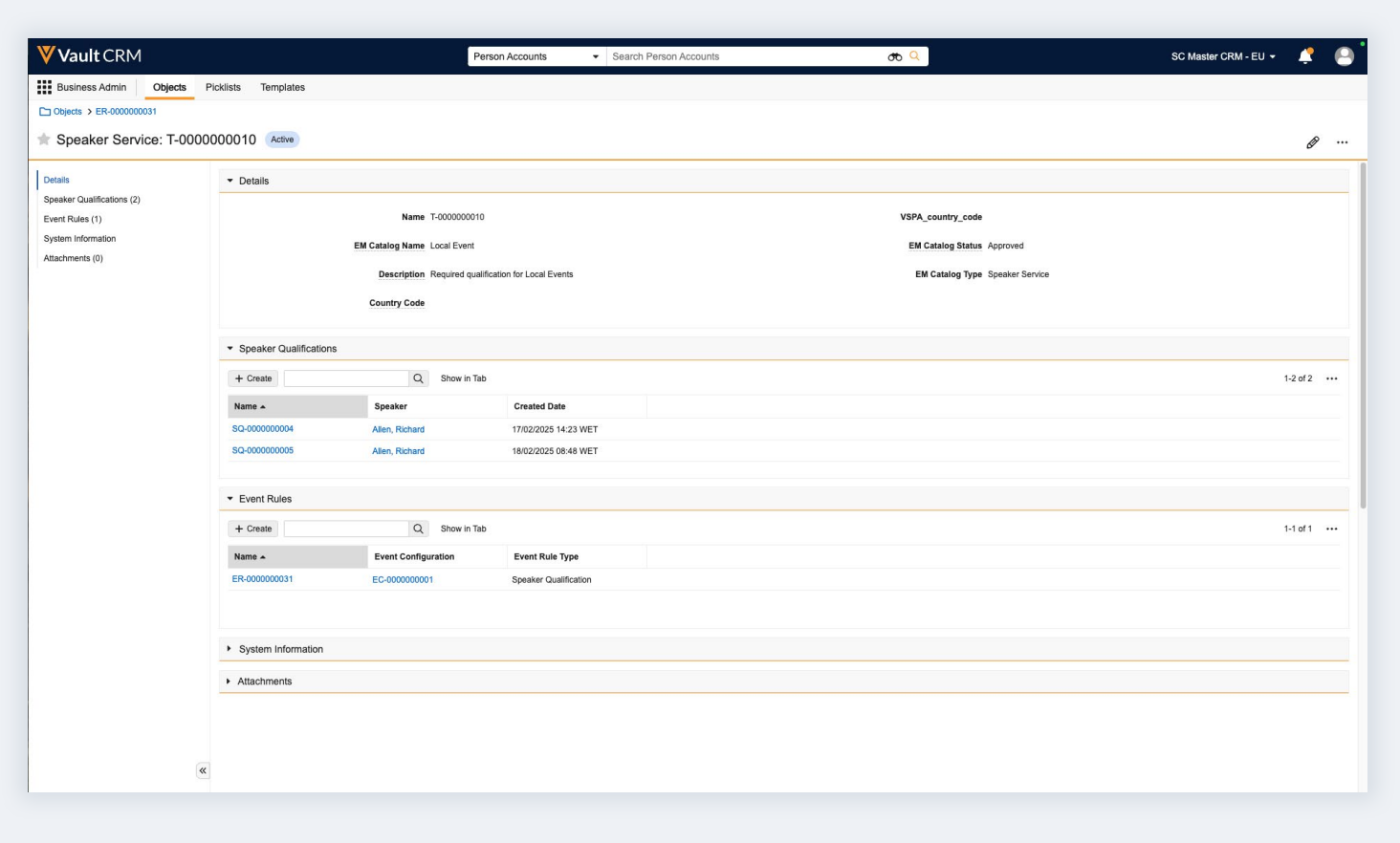
Filters are defined in the Event Rules.
SPEAKER NOMINATIONS
7. Applying Event Business Rules
Events Business Rules act as automatic guardrails to ensure event compliance and minimize planning mistakes. Speaker management examples of Event Business Rules include:
Speaker attendance by expense cap rule: Limits a speaker’s attendance based on expense cap.
“Warn organizers if committed expenses exceed 10% of the expense cap.”
Per event speaker expense limit rule: Limits the expenses of an event that can be attributed to an event speaker.
“Accommodation expense cannot be more than 300 EUR.”
Per speaker engagement limit rule: Limits the number of events a speaker can speak at per event type.
“Warn organizers if a speaker has already been confirmed on three other speaker programs.”
Learn more about Event Business Rules.
SPEAKER EVENT RULE
Speaker Management Across the Event Lifecycle

Nominating speakers
|

Validating speakers
|

Inviting speakers & preparation
|

Presentation & attendance
|

Close out speakers
|

Follow-up
|
|---|---|---|---|---|---|
| • Filter speakers based on topics & services • Plan speaker costs | • Event business rules | • Approved Email • Sending local content • Speaker contracts & agreements | • Sign-in (QR code, digital, print) • Re-usable speaker presentations: PromoMats events integration | • Lightning inline editing • Meal-opt in & status management • Actual speaker costs • Event business rules | • Automated event emails • Event survey • Integrated survey with Medallia/ Qualtrics for Engage for Events |