
Innovation Guides
Scaling Medical Content with Veeva MedComms
With increasing stakeholders learning new information through new channels and formats, finding a way to balance speed and accuracy is crucial to medical content success.
Veeva MedComms streamlines scientific content creation, review, and distribution, allowing biopharma to scale up medical content operations while remaining compliant and accurate.
Read on for tips and tricks to maximize your Veeva MedComms investment, whether through easier collaboration across teams or faster dissemenation of content evidence to field and medical information.
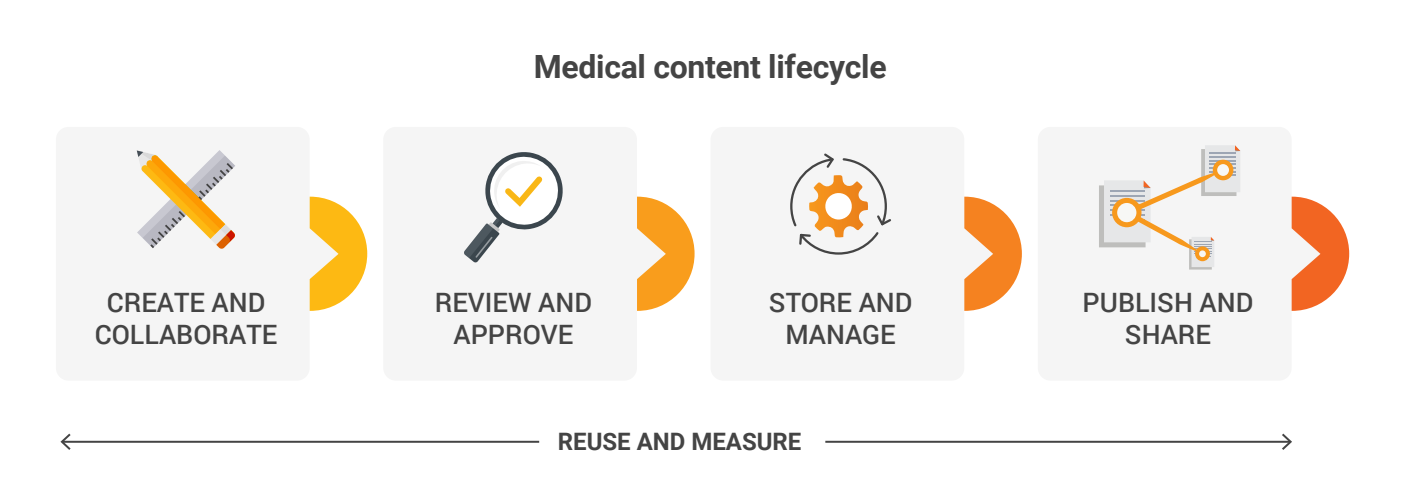
Tips & Tricks
Create and Collaborate
Speed content creation with templates and merge field
Document templates are a great way to quickly create new versions of existing content (e.g., a localized global standard response letter). When creating the new localized version, Vault copies the template file and uses that as the source file for the new document.
Merge Fields allows users to insert information from a document's metadata into the document (e.g., different variables in a letter, such as country-specific phone numbers, email addresses, or specific disclosures). The Merge Field Function triggers Vault to search within the document and replace specific tokens with field values from the document's metadata, making it easy to populate the standard letter with new details.
Work more effectively with Collaborative Authoring
Generating new medical content requires time and effort from multiple stakeholders, including outside agencies and writers who collaborate through numerous back-and-forth conversations over email.
Collaborative Authoring helps content creators work more effectively together while maintaining compliance. Project or document owners can upload a document to Veeva MedComms and give others access to contribute. Only users with correct permissions can join collaboration sessions, and edits can be done simultaneously.
Users can check out a file with one click, make changes, and then save it to the Office 365 file, updating Vault. When done with Collaborative Authoring, users can close out Microsoft Word, and all the changes will be synchronized into Vault.
Collaborative Authoring is an easy and compliant way to work jointly on everything from documents and spreadsheets to slide decks.
Resources: The Collaborative Authoring Resource Hub contains additional information and demonstrations to help you get started.
Repurpose approved content with Make a Copy
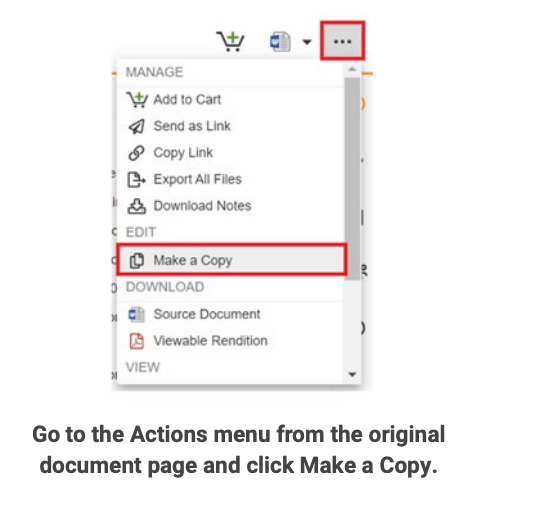
When localizing medical content, authors often need to modify the original document. They may have to translate it, change terminology and contact information, add slides, or remove information that is not relevant to the specific country.
Veeva MedComms makes it easy to reuse documents or binders with the Make a Copy option. When a user makes a copy of the document, the new version will have the same fields, content, and structure as the source file. A relationship is also created between the source document and its copies to allow for traceability. Once the document is approved, regional affiliates receive a notification in Microsoft Outlook or within Veeva, letting them know a new piece of content is available to localize.
Make a Copy is an easy way to initiate new projects from existing documents, which can then be worked on jointly by multiple individuals with Collaborative Authoring.
Review and Approval
Speed approval times with Scientific Statements
Identifying and linking evidence within medical content to its relevant reference material is often very manual. Scientific Statements in Veeva MedComms automates this, saving time, and effort in the creation and review process.
Users create a Scientific Statement library, including the text to be matched, applicable product, country, and category, and can send it through for review and approval. When authoring new material, content creators can click on the Suggest Links icon (lightbulb), and Veeva MedComms will automatically create the reference links within the document based on the Scientific Statements. Users can then review the links, ensure the wording is correct, and that all references are detected.
By using a library of Scientific Statements, content creators can not only speed up reference links and reviews but can also ensure they're using consistent messages that have already been vetted and approved.
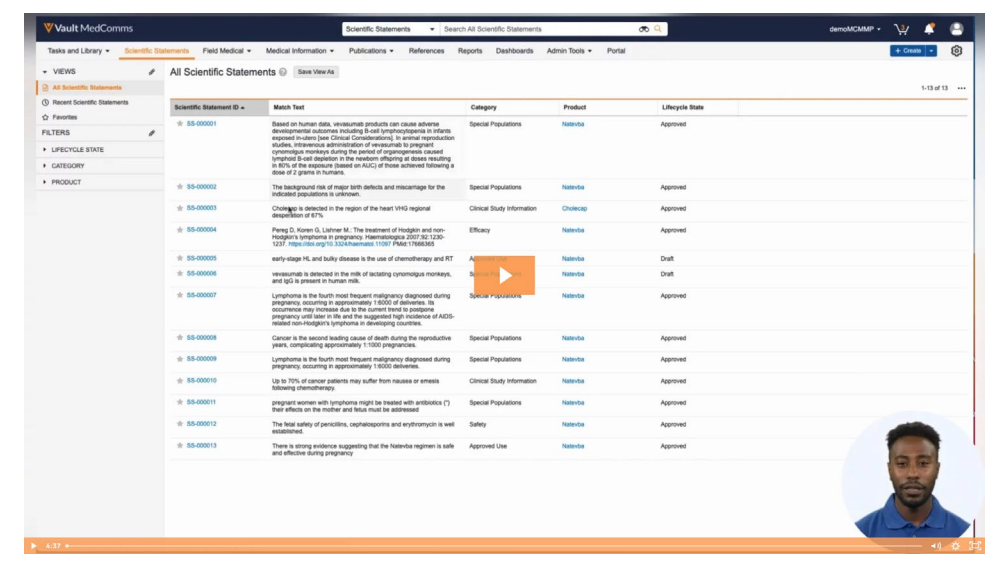
Scientific Statements
Store and Manage
Optimize content reuse with Based-on Notification
Many medical organizations implement a global-to-local content model to optimize content reuse and ensure consistent messages across regions. Based-on Notifications help to ensure that content pushed out to the regional location stays up to date and accurate.
When local regions use "Make a copy" to create a child document of a global parent, a relationship is established between the two documents. Notifications can be added to update the owners of the child documents when the parent document has been changed. For example, the parent's document owner can change the document's "state" if there has been new evidence and the document is now seen to be obsolete. Veeva MedComms will notify the owners of any child documents that the global document has changed so they know to update their regional version.
Global authors can also run reports to help them understand how often their document has been copied and the impact of any planned updates.
Quickly review unfamiliar terminology with Glossary Terms
Medical content may often contain unfamiliar terms to the author, reviewer, or contact center as they fulfill medical inquiries, which can slow down the review and distribution of medical information. Glossary Terms in Veeva MedComms allows users to look up the definition of unknown terms quickly.
When a reviewer see a term they might not be familiar with, they can highlight it and open up the glossary with one click. A definition for that word and links to external resources (such as the National Library of Medicine) will appear.
Administrators can view, filter, and search through all the terms in the glossary and add new ones. Dashboards and reports provide quick insights into which glossary terms are being used, the type of searches done by users, and which terms were searched but are not part of the current glossary. This helps administrators determine which terms are good candidates to add to and improve the glossary.
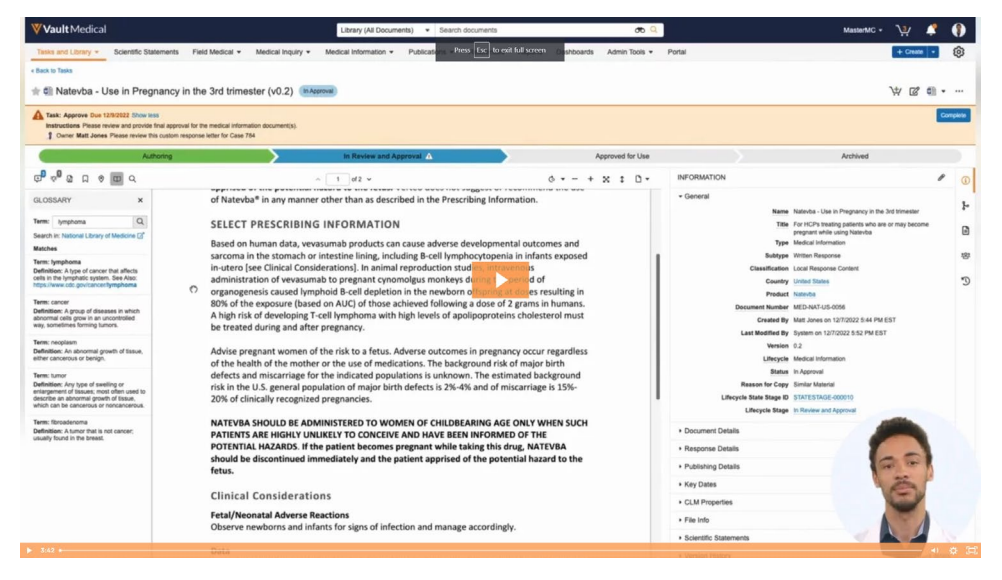
Glossary Terms
Publish and Share
Showcase the latest content with Medical Portals
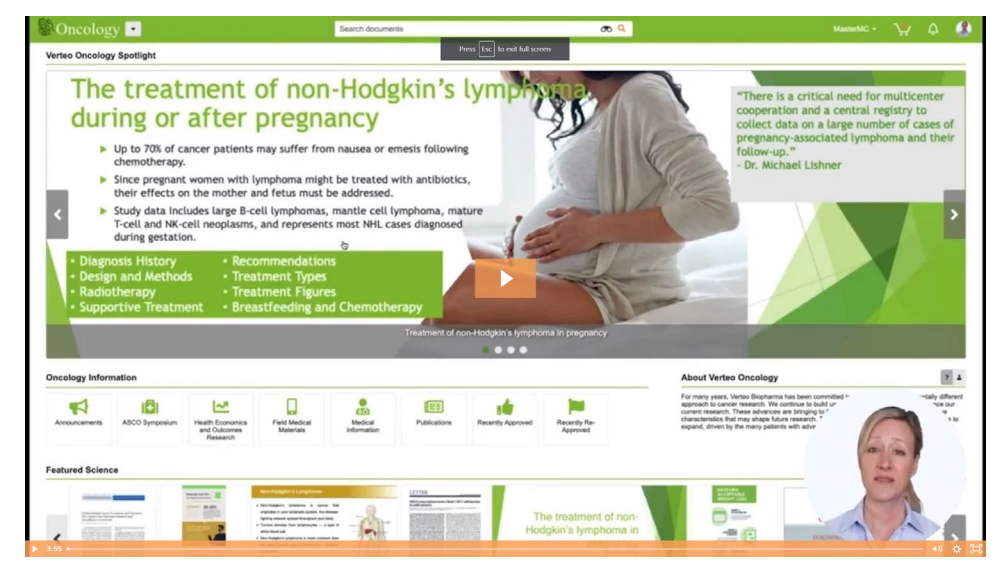
Medical Portals provide a simple, intuitive interface to showcase scientific content, making it easier for teams to search, access, and share the content they need. This is ideal for users needing simple read-only access to this content or for MSLs doing research offline.
Portals can be quickly set up and organized about therapeutic area, product, country, role, and more. Configurable areas provide quick views of featured content, showcase commonly used scientific materials, and allow you to highlight newly approved documents. "Pop-up" portals are ideal for defined, time-limited uses such as an annual congress.
Medical Portals
Rapidly disseminate content to the field with "Auto-Publishing"
Getting the right content to the field is critical for ensuring personalized, relevant engagement. However, it can be challenging to ensure that MSLs have the most recent version of content and keep it up to date and compliant. Auto-Publishing lets content owners efficiently manage content distribution, creation, versioning, and even withdrawal directly from Veeva MedComms to the field.
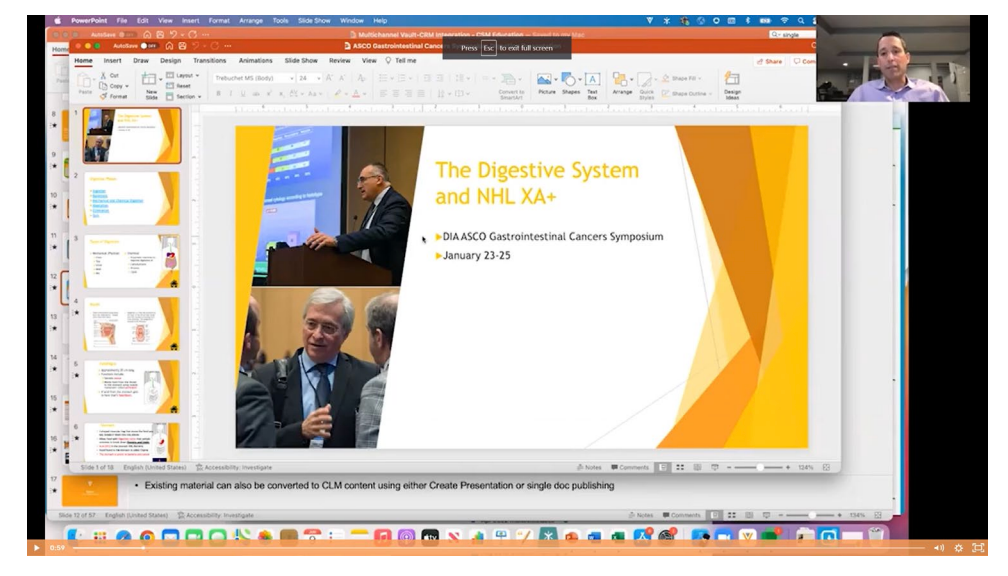
Users can configure CRM rendition settings and behavior to specify which documents and file types in Veeva MedComms are available in CRM (PowerPoint, PDF, MS Word, or video). They can also determine how slide decks render in CRM, such as a multi-slide presentation or native PowerPoint.
Distributing new content to the field is as easy as uploading the document, classifying it to match the rendition settings, and selecting the option to publish CRM (CLM). Once the system synchs, the new content will appear in the media library for the MSL to use in stakeholder interactions.
Auto-Publishing is a quick and easy way to distribute content and is also derived from one source document. Any updates to the source document (approvals, expirations, etc.) will also appear in rendition in CRM, helping to optimize the management and versioning of scientific content.
Auto Publishing