Capturing HCP Signatures Anywhere, Anytime
Veeva Vault CRM Engage’s remote signature capabilities give HCPs the flexibility to complete a signature from anywhere, at any time.
Overview
Veeva Vault CRM Engage includes remote signature capture features to help biopharmas serve HCPs faster. Signature links enable customer-facing teams to send out signature requests that HCPs can complete on their own devices. This means that reps no longer have to be present in the same physical location as the HCP to collect a signature.
Signature requests can be sent over text channels or as a QR code to support a variety of use cases. For example, customer support teams can send links to capture signatures for shipped sample requests. Field teams can collect sample opt-in signatures from multiple HCPs at once by having them scan a QR code. If an HCP asks about an off-label indication in a virtual meeting, the rep can have them sign for a medical inquiry right away.
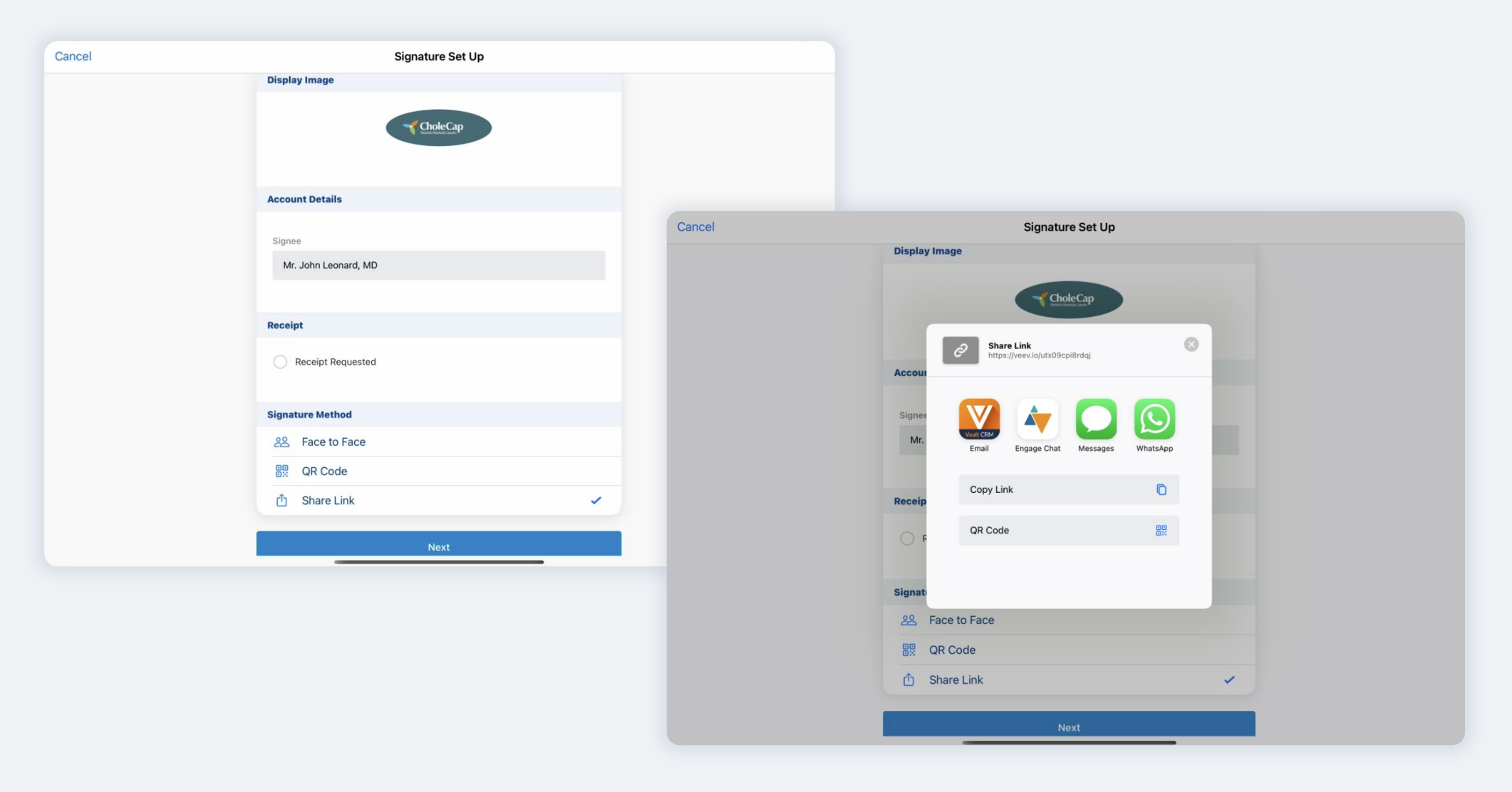
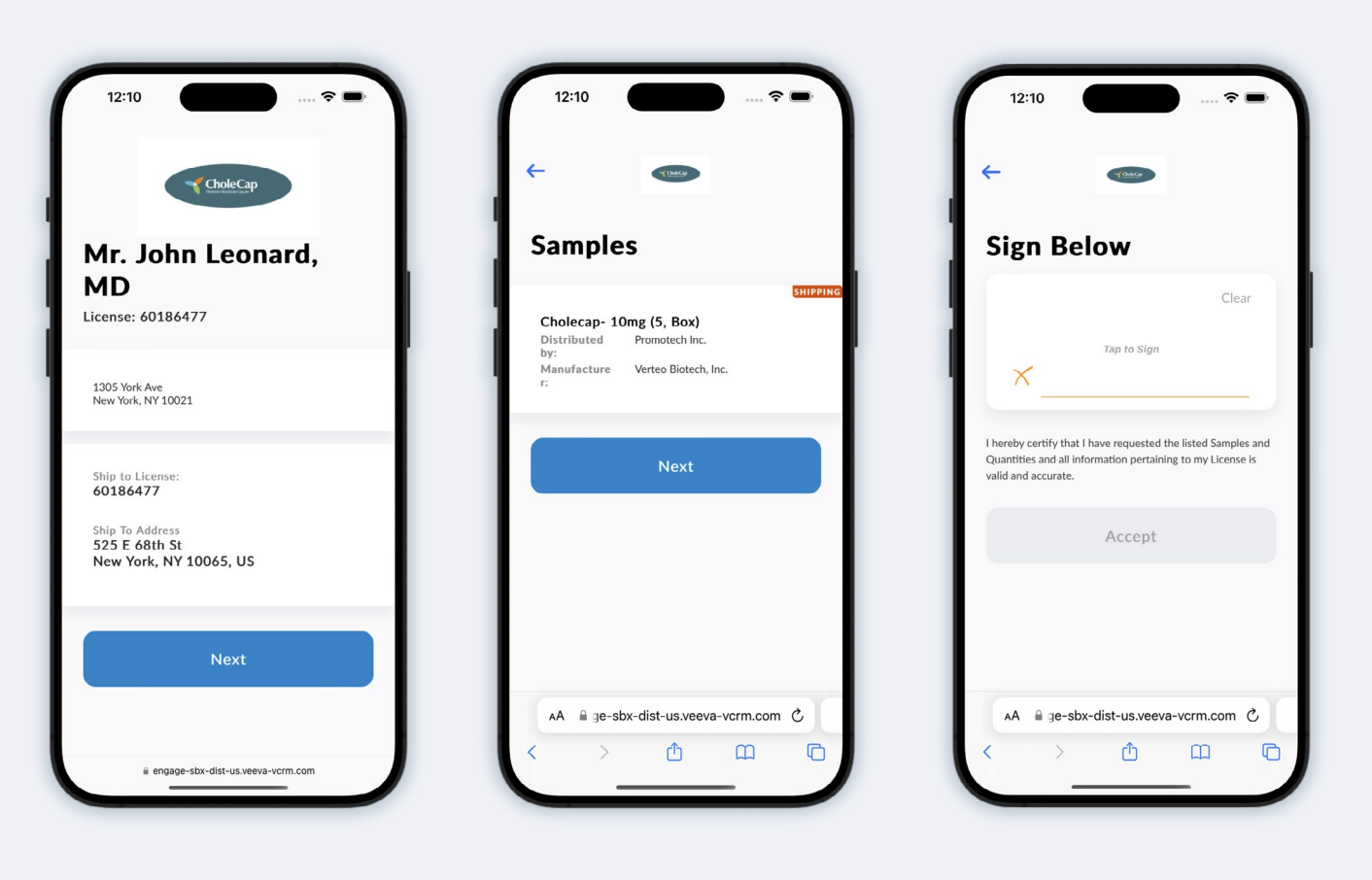
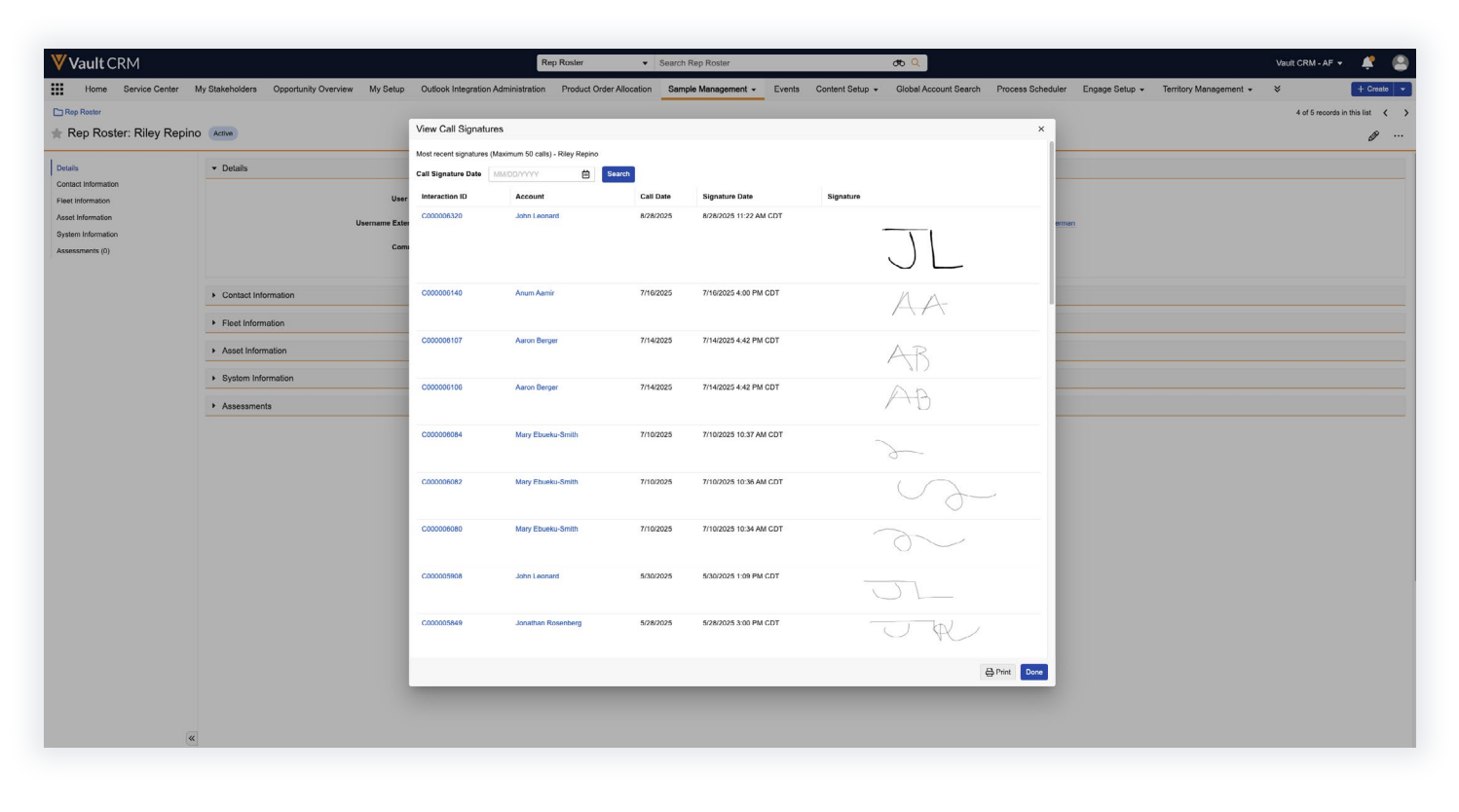
HCPs can complete signature requests either online with a rep or offline with a rep-generated link. Signature links are personalized for an HCP and expire if that HCP does not sign within a preset time. Reps and admins can review all completed signatures to ensure that compliance requirements are met.
Tips and Tricks
Capturing Remote Signatures for Different Request Types
Vault CRM Engage currently supports four different remote signature use cases: sampling, business request card (BRC) sampling, sample opt-ins, and medical inquiries.
- I Sampling: used when field reps are physically dropping a sample but lets the HCP sign for the sample on their own device. Sampling requires the rep to be online as the HCP completes their signature.
- I BRC sampling: used when the HCP and rep are in different locations and the HCP is signing for a sample that will be shipped later. For this use case, the rep can either be online as the HCP signs or send a link for the HCP to sign on their own time.
- I Sample opt-in: used to obtain consent from the HCP to receive samples. Reps must be online with the HCP to collect a consent signature.
- I Medical inquiry: used to obtain consent from the HCP to submit a medical inquiry. Reps must be online with the HCP to collect a medical inquiry signature.
Capturing Remote Signatures in Engage Meetings
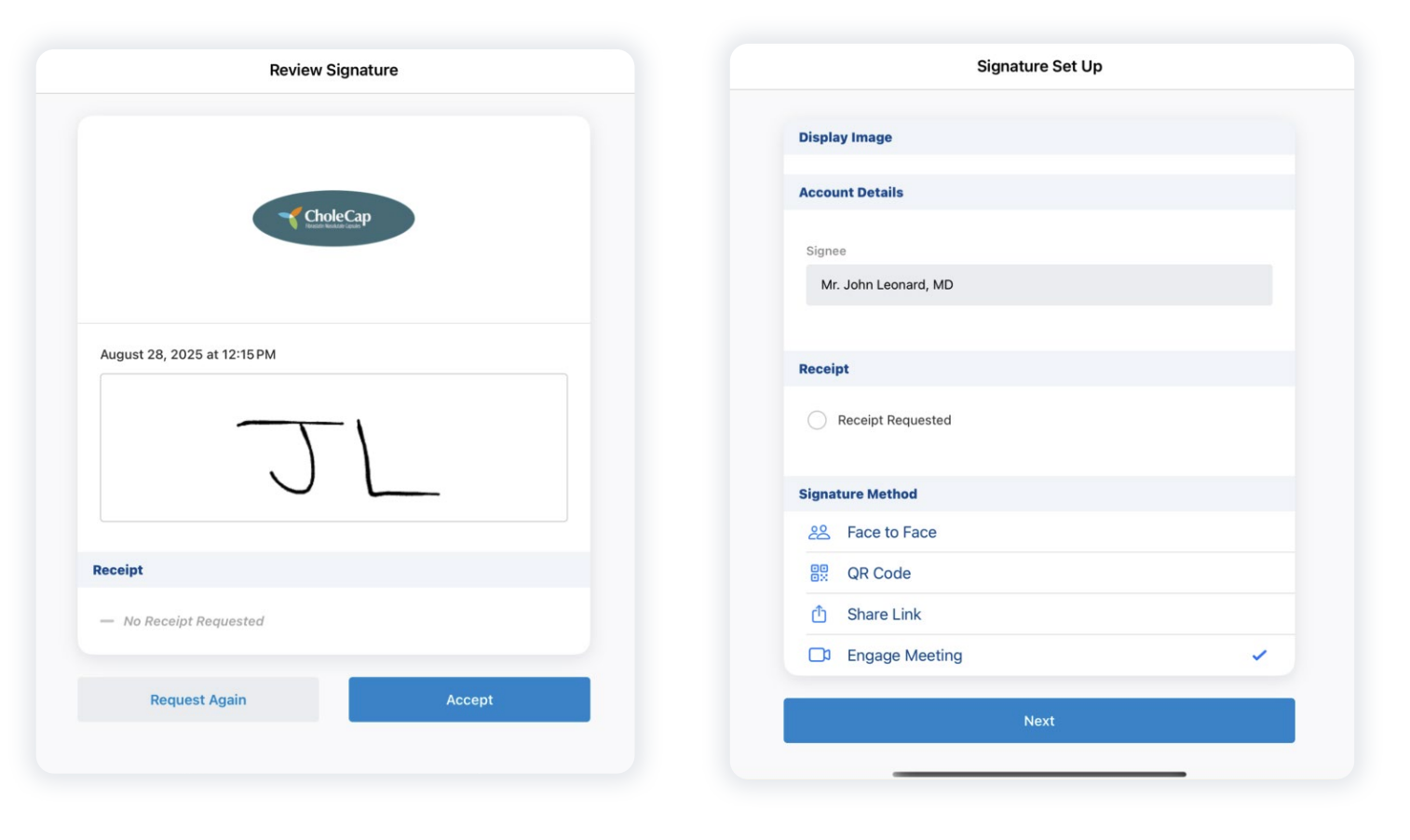
Users can capture certain types of HCP signatures within an Engage Meeting.
While in an Engage Meeting with an HCP, a rep can access options to submit a medical inquiry or capture a BRC sample request. Selecting any of these options brings up a signature capture screen for the HCP. Once the HCP signs, they return to the Engage Meeting interface and can continue the discussion.

Displaying Disclaimer Text on the Signature Screen
Admins can set up a disclaimer text block on the HCP signature page for HCPs to read before they sign. They can also load disclaimers in multiple languages. Before generating the signature request for each HCP, reps can choose to display the disclaimer text in the HCP’s preferred language.
Reviewing Captured Signatures in Vault CRM
The user who generates the signature request is notified whenever an HCP completes the request. They can then view the completed signature request and verify that all the necessary compliance information has been filled out.
Resources
Ready to try out remote signatures? Take a look at our Vault CRM Help documentation on how to activate and use these features.
General Functionality Overview
Veeva Flightpath: Remote Signatures
BRC Sampling
Capturing Remote Signatures for BRC Samples Using Share Link (Sign Now)
Capturing Remote Signatures for BRC Samples During Engage Meetings
Capturing Asynchronous Remote Signatures for BRC Samples Using Share Link (Sign Later)
Sampling
Capturing Remote Signatures for Sampling with QR Codes®
Medical Inquiries
Capturing Remote Signatures for Medical Inquiry Using Share Link and QR Code®
Capturing Remote Signatures for Medical Inquiry During Engage Meetings
Sample Opt-In
Capturing Remote Signatures for Sample Opt-In Using Share Link and QR Code®