Providing the 360-Degree View Customers Have Always Wanted
Dec 05, 2024 | Mark Johnson
Dec 05, 2024 | Mark Johnson
The Veeva Creator Series highlights the backstories of CRM innovations. This blog focuses on Veeva Vault CRM’s Timeline View, which provides a chronological history of all activities involving an account, such as calls, emails, and medical events. Accessible on iPad and browser, it helps users plan interactions by showing past and planned activity, including customizable multichannel activities.
What is Timeline View?
Timeline View is unique way to visualize healthcare professional (HCP) interactions over a given period of time. Not only can you see all interactions in an intuitive manner, but you also more easily see what isn’t happening. Visualizations allow you to fill in those critical gaps that can make all the difference. Timeline View is designed to be a ‘consume-first’ interface rather than a traditional data entry screen that most CRM systems have. It’s what field teams really need when they prepare for a call.
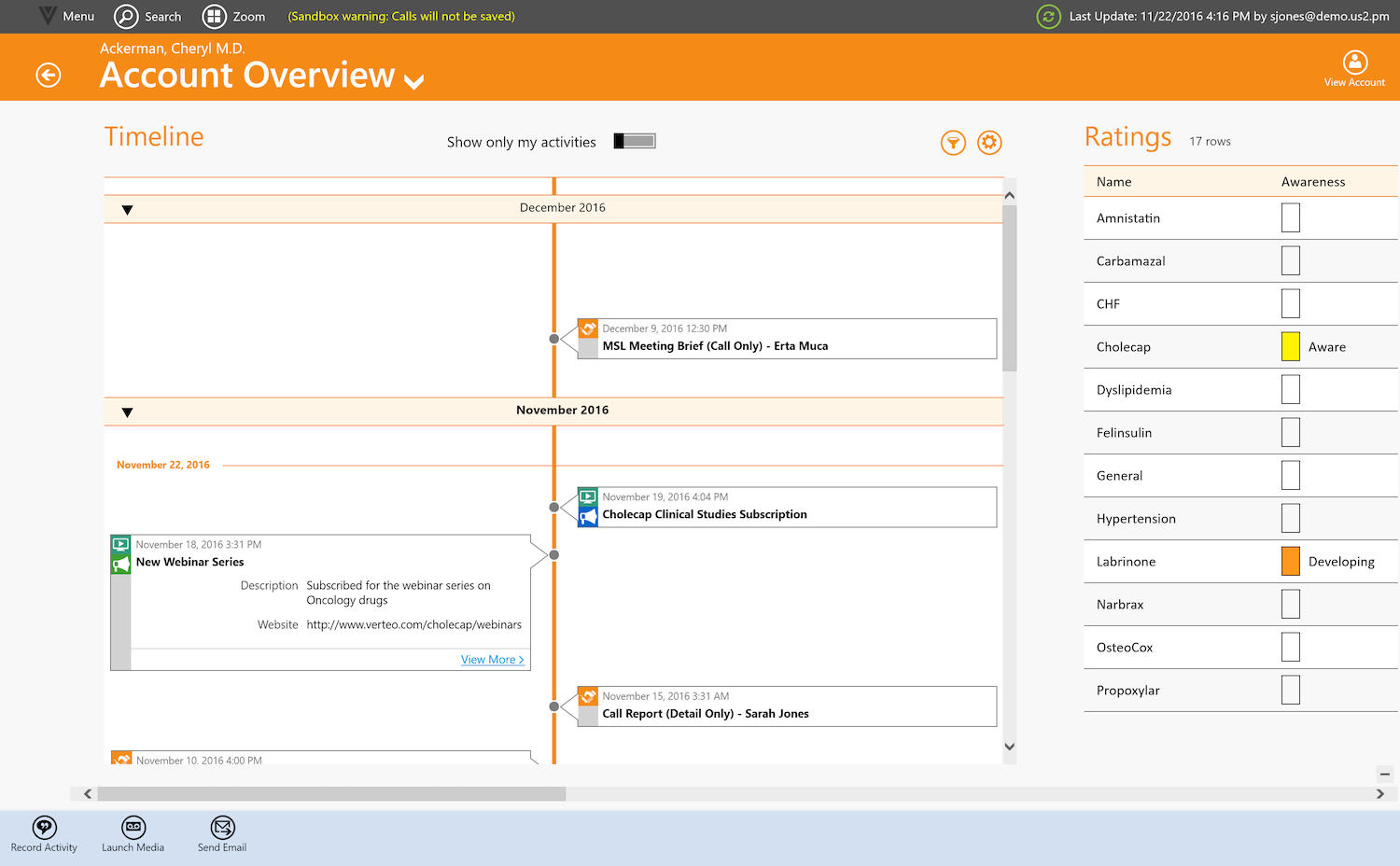
Timeline view from Windows device
This concept ties back directly to customer relationship management, which is fundamentally about understanding customers. For CRMs to be effective, field teams need access to as much quality information as possible. But just because we can list information doesn’t mean it is consumable. Surfacing it in a graphical manner helps address the challenge.
What was the genesis of Timeline View?
Timeline View is an example of Veeva’s investment and emphasis on innovation. On sales ride-alongs, we heard requests to better understand the next interaction. A common refrain among customers is the need for a 360-degree view of the HCP. What users are really saying is, how can we get the entire organization on the same page? With Timeline View Veeva recognizes the value in helping companies and teams coordinate better engagement.
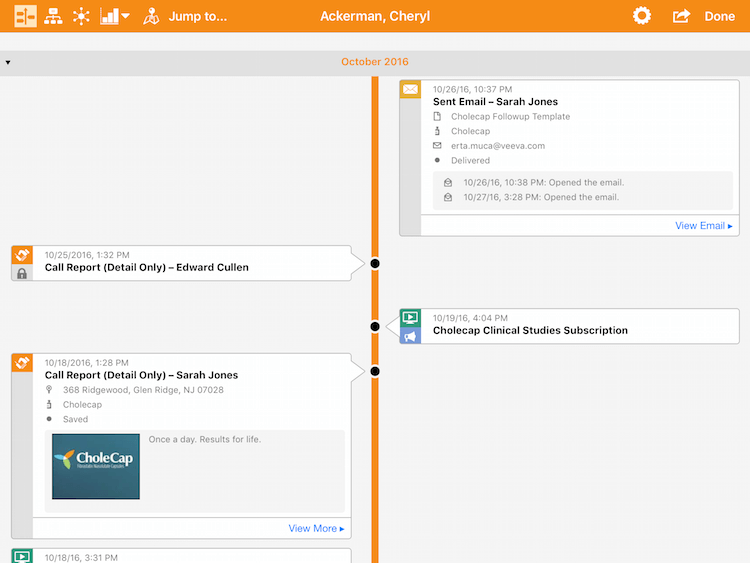
Timeline view from iPad
However, there’s a balance between delivering the right amount of information and overdoing it. We could have surfaced lots of data from related lists, but it’s simply too much to show. Focusing on valuable information and displaying it in an intuitive manner is most helpful to users. Since the tablet user generally tends to scroll in an ‘up/down’ manner, we let that be our guide.
The problem was that the UI needed to retain its scale – it was a problematic task. We came up with an approach in which we highlighted the thumb nail of the interaction first, and then let the user drill down. Veeva Vault CRM Approved Email is a good example. It shows the basic information at a glance, but can be expanded upon for further detail.
What is a key takeaway about Timeline View?
Think of it as the first place a field team member should go. If there’s a scheduled call, they should come to the timeline to review what has been done and what remains outstanding. In the view, they can easily see the basic information needed to be successful, such as product metrics, formulary status, etc. The way field teams interact with CRM needs to evolve and timeline offers that capability.
Customers who are using it understand the value. One customer commented that “this is the 360-degree view we’ve always wanted.” It’s exciting to have that kind of feedback.
Learn more about Timeline View.