Innovation Guides
Instant, Compliant Messaging with Vault CRM Engage
Veeva Vault CRM Engage lets field teams and HCPs reach out to each other quickly and compliantly via instant message, delivering support when the HCP needs it most.
Overview
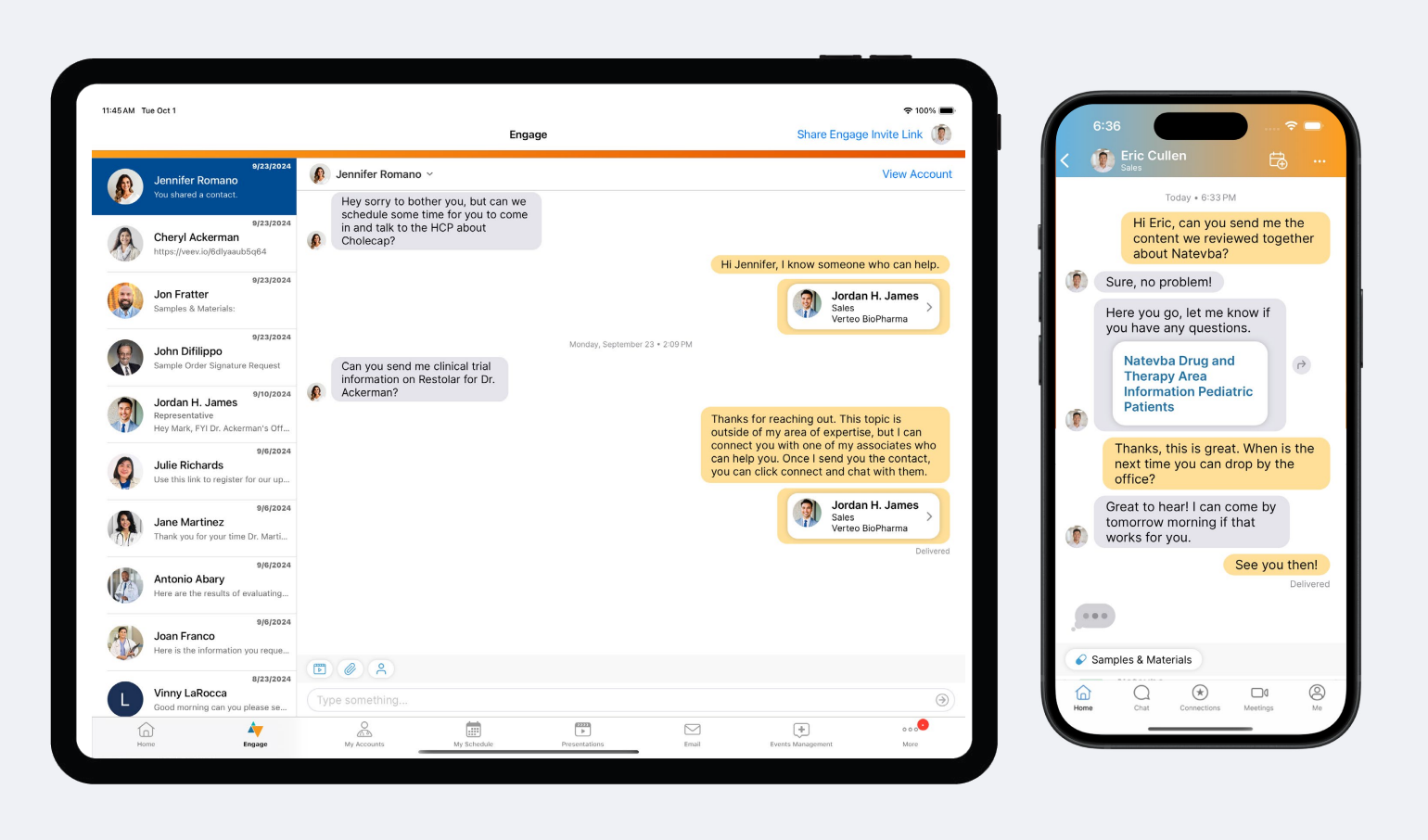
Veeva Vault CRM Engage has a powerful messaging toolkit that enables instant communication between biopharma teams and healthcare professionals (HCPs). Designed by HCPs for the way they work, it lets field teams provide the services HCPs need in minutes. Within a chat message, HCPs can receive content, request and sign for samples, or even book their next meeting with a field rep.
Once chat is enabled for a rep, they can message any HCP that they’re connected with on Engage. The HCP will also see a “Message” option next to the rep’s name in their Engage contact book so they can reach out at any time. Reps can see all their chat conversations from the Chats tab in Vault CRM, and receive notifications on their device whenever an HCP sends them a message.
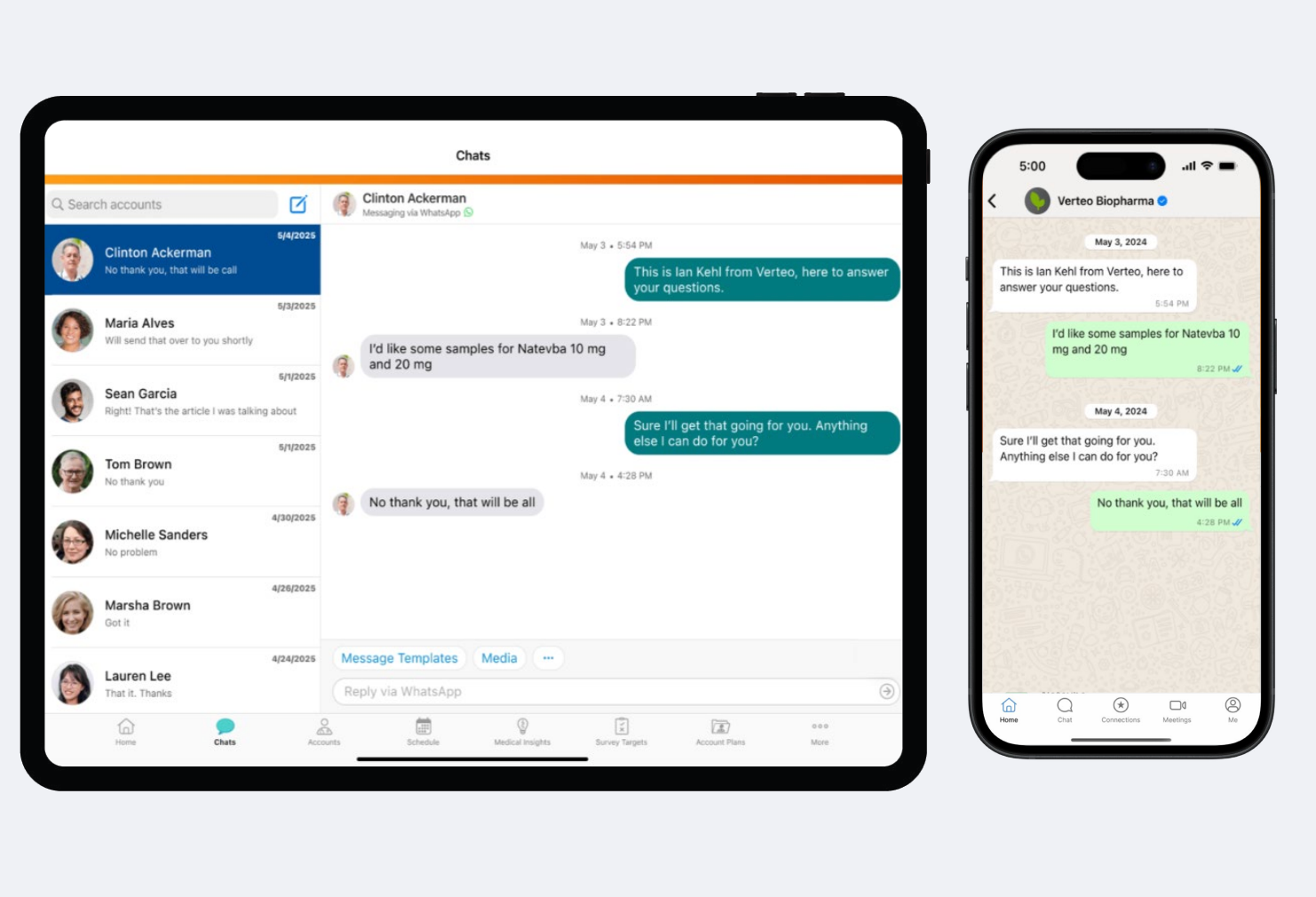
Biopharmas can also reach HCPs via WhatsApp using Engage’s integration with WhatsApp Business. Once the biopharma creates a business account with Meta, their field users can start sending and receiving WhatsApp messages through the Vault CRM interface, while HCPs will receive messages directly inside their WhatsApp.
To ensure free text messages stay compliant with business rules, Engage has a proactive blocking feature that prevents messages containing noncompliant words or phrases from being sent to HCPs.
Tips and Tricks
Sending Content to HCPs
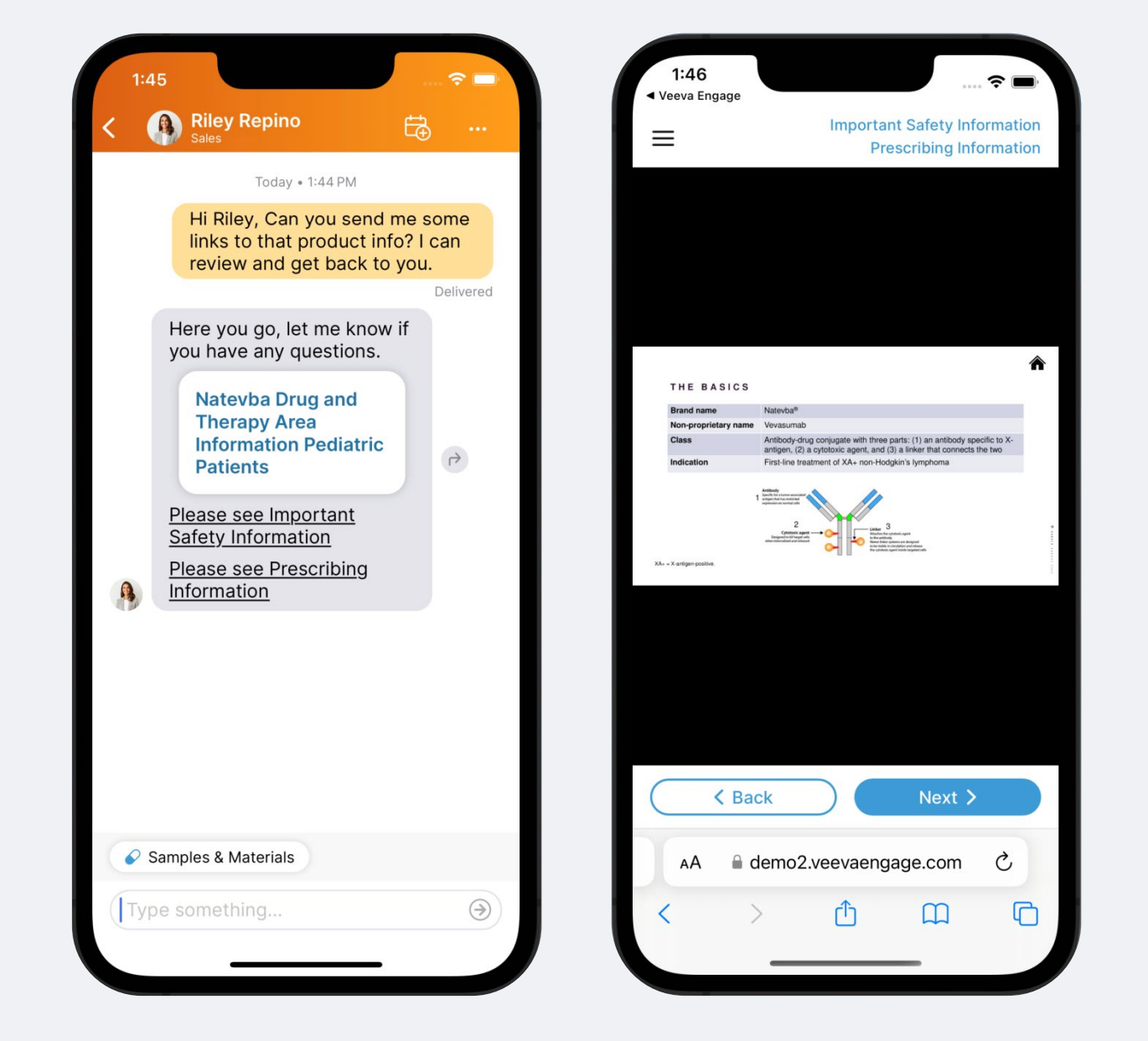
Field users can share CLM content from their Media Library via messaging. This content comes from Veeva PromoMats or Veeva MedComms through a prebuilt integration. Once content is uploaded, admins can configure preset message templates that field users send with the content.
When a field user wants to send out a piece of content, they can search and filter through the Media Library to find what they need. Next, they can choose a message template to go with the content before sending it to the HCP.
Receiving a Sample Request From an HCP
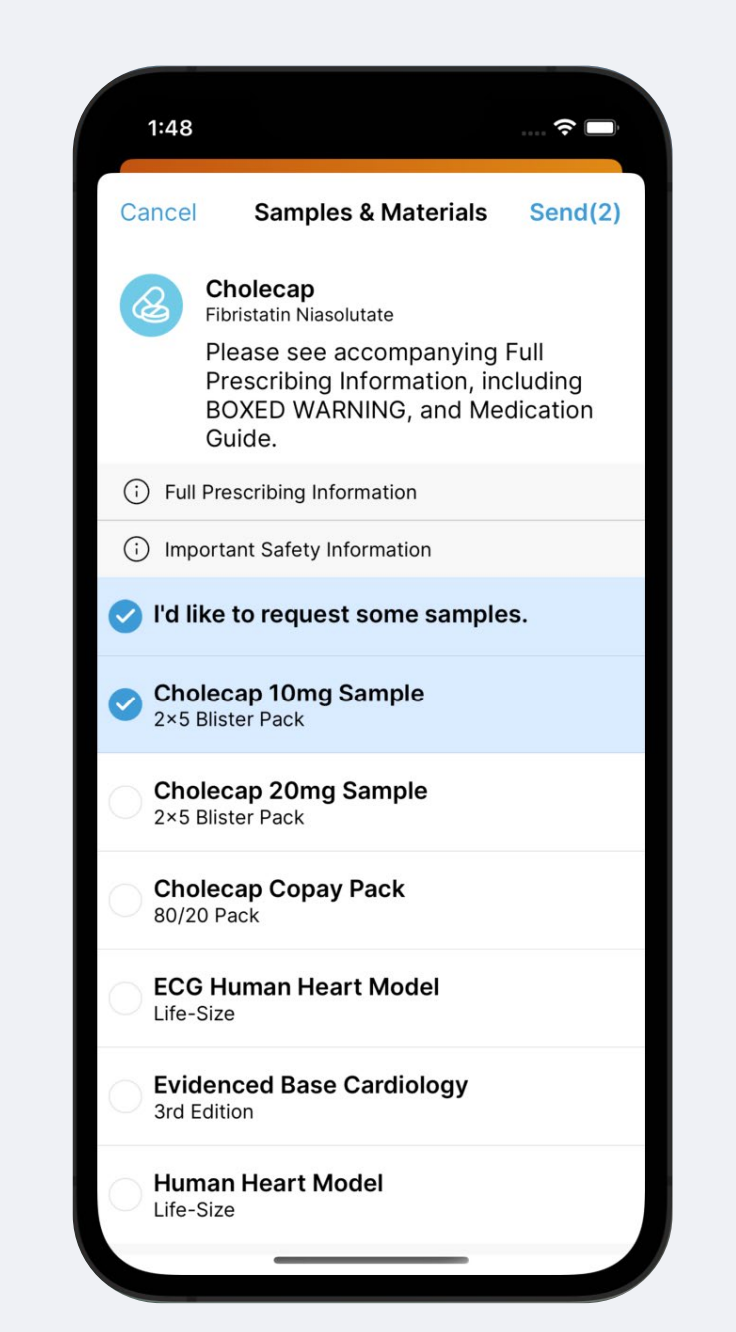
HCPs can request samples from reps over Engage chat. In their chat conversation with each rep, they can pull up a list of all the samples the rep currently has in their bag and select the type and quantity they need. They then send this over to the rep to be fulfilled.
The rep can either send a signature link back so that the HCP can sign for shipped samples over chat, or stop in for a call and drop the samples in person.

Sharing Contacts Over Engage Chat
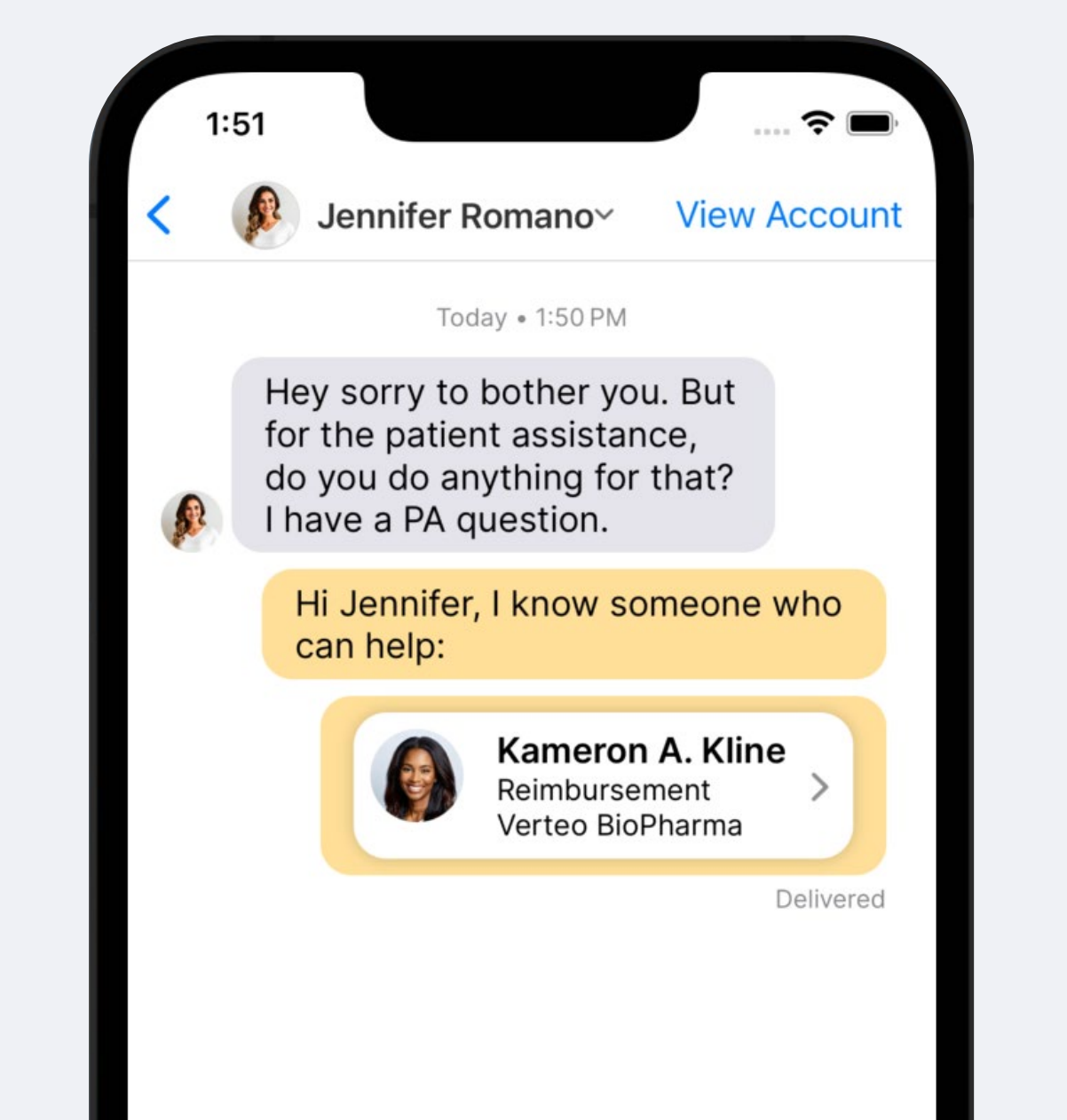
Field users can also introduce other team members to the HCP over Engage chat. From the chat conversation, they can send the Digital Business Card of any other team member to the HCP so the HCP can start a conversation right away.
Proactive Blocking to Prevent Keywords in Messages
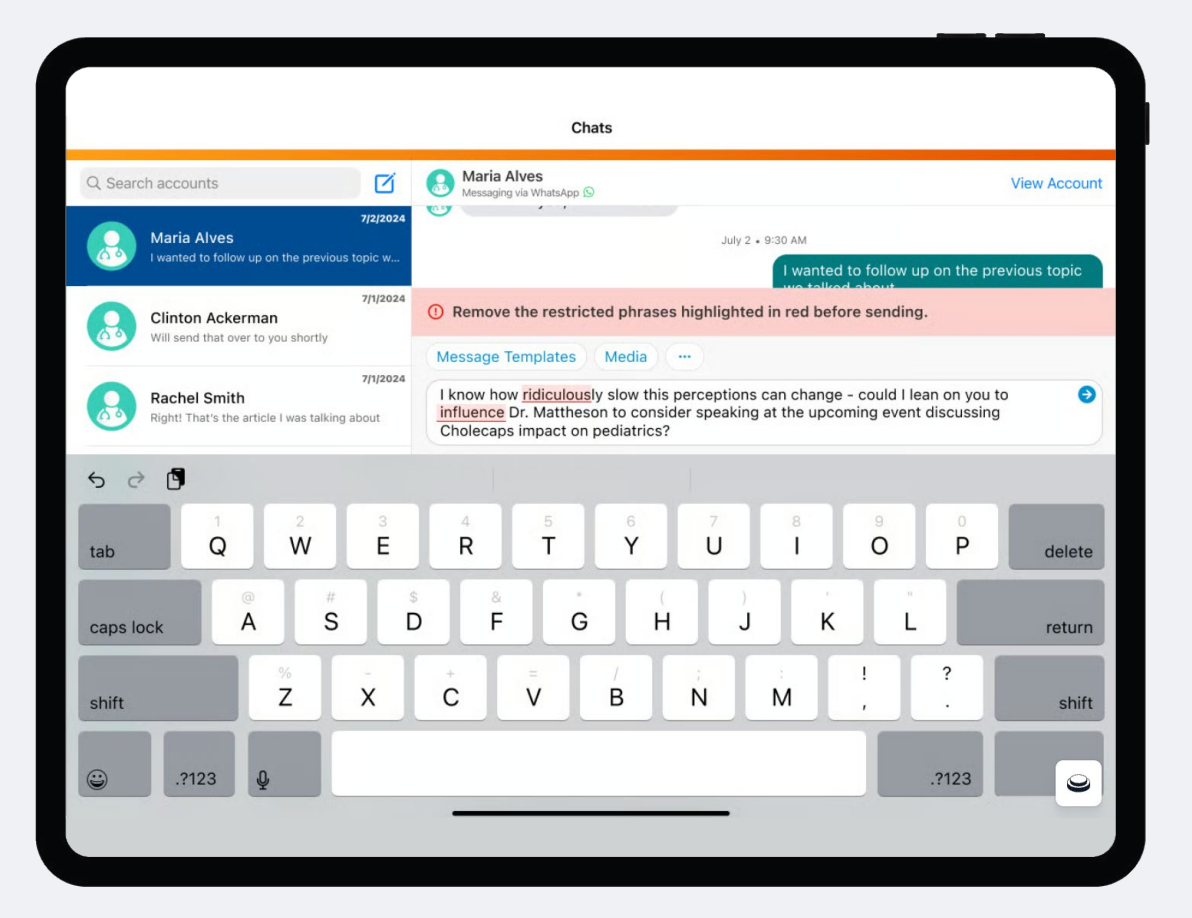
To prevent messages with potential compliance risks from being sent, both Engage chat and WhatsApp messaging have restricted phrase rules that detect banned words as the user types out the message. If this feature is enabled, any banned words or phrases will be highlighted in red, and the user will not be able to send the message until they are removed.
Admins can load in a list of words and phrases that will be blocked by this feature.
Adhering to WhatsApp Business Rules of Engagement
Engage’s integration with WhatsApp Business is designed for compliance with Meta’s rules of engagement for business accounts.
Based on Meta’s rules, field users in Vault CRM can only initiate WhatsApp conversations using templates pre-approved by Meta. After an HCP responds to one of these templates, field users then have a 24-hour service window where they can message the HCP using free text. After this service window expires, field users will revert to only having templated messages.
Templated messages can be categorized into types so field users can find what they need quickly.
Resources
Find out more about Engage’s messaging capabilities with these additional resources.
- General Functionality Overview: Veeva Flightpath: Chatting with Engage
- Setting Up Messaging
- Chatting with HCPs
- WhatsApp Integration
- Additional Features
- Compliance Monitoring and Blocking
See all the other ways Veeva Vault CRM Engage helps your field teams stay connected with HCPs in the channels they prefer.