Veeva MedInquiry Innovation Guide
Veeva MedInquiry streamlines the intake and fulfillment of medical information requests with comprehensive capabilities. Learn the core features that’ll help you optimize your end-to-end experience managing medical information processes.
Overview
Veeva MedInquiry streamlines the intake and fulfillment of medical information requests with comprehensive inquiry management capabilities.
Whether inquiries arise from a call center, email, website, or CRM, Veeva MedInquiry centralizes this information in a structured manner and ensures your teams are equipped to respond with accuracy, diligence, and speed.
This guide highlights the core features embedded in Veeva MedInquiry that’ll optimize your end-to-end experience managing medical information processes.
Complete solution that supports the end-to-end medical inquiry management lifecycle.
Modern cloud-based system that evolves with changing business needs, minimizing manual processes with automation.
Connected to the wider medical ecosystem, with native integrations to Veeva CRM and a versatile API that connects other systems.
Tips & Tricks
Centralize Intake in the Medical Inquiry UI
Your call centers field large volumes of inquiries and it’s important to capture those details quickly and efficiently. The dedicated medical inquiry user interface allows you to capture all aspects of a case in one place. This could include one or multiple requests by an HCP as well as what was provided in response.
The UI is completely dynamic, allowing you to toggle between different components to perform related tasks rather than navigating away. You can also customize objects and fields to further align the interface to your specific business requirements. For example, you can set up the page to capture adverse events or product quality complaints associated with the inquiry.
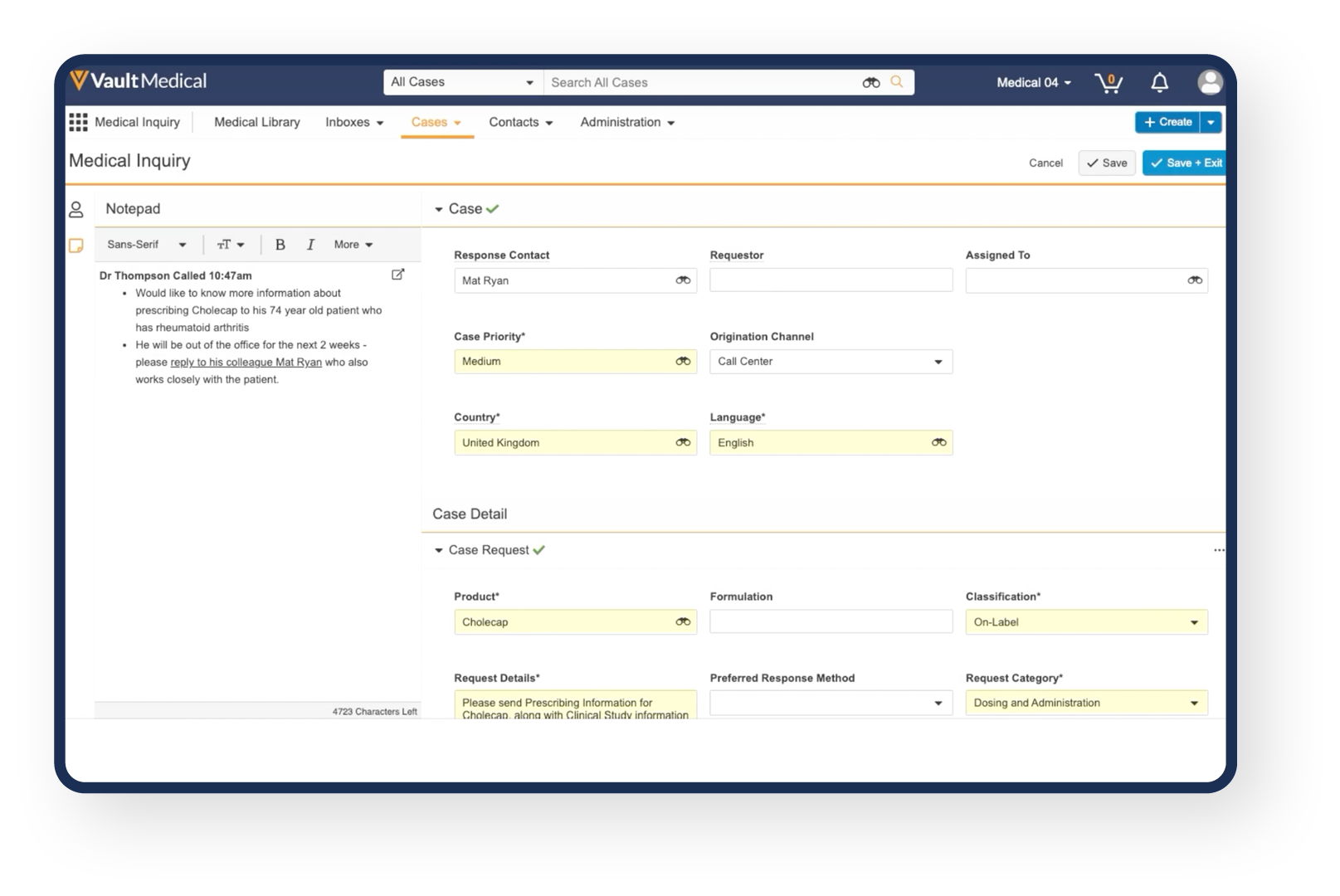
- Use the notepad sidebar to write down details of the case captured over the course of the conversation.
- Look up accurate, up-to-date HCP reference data from Veeva OpenData via a connection to Veeva Network, directly from the UI.
Maximize Efficiency with Innovations in Automation
Automation underpins many facets of Veeva MedInquiry product innovation. A number of capabilities leverage automation to simplify and streamline the work you do on a day-to-day basis. The benefit is twofold: Fewer clicks, less guesswork.
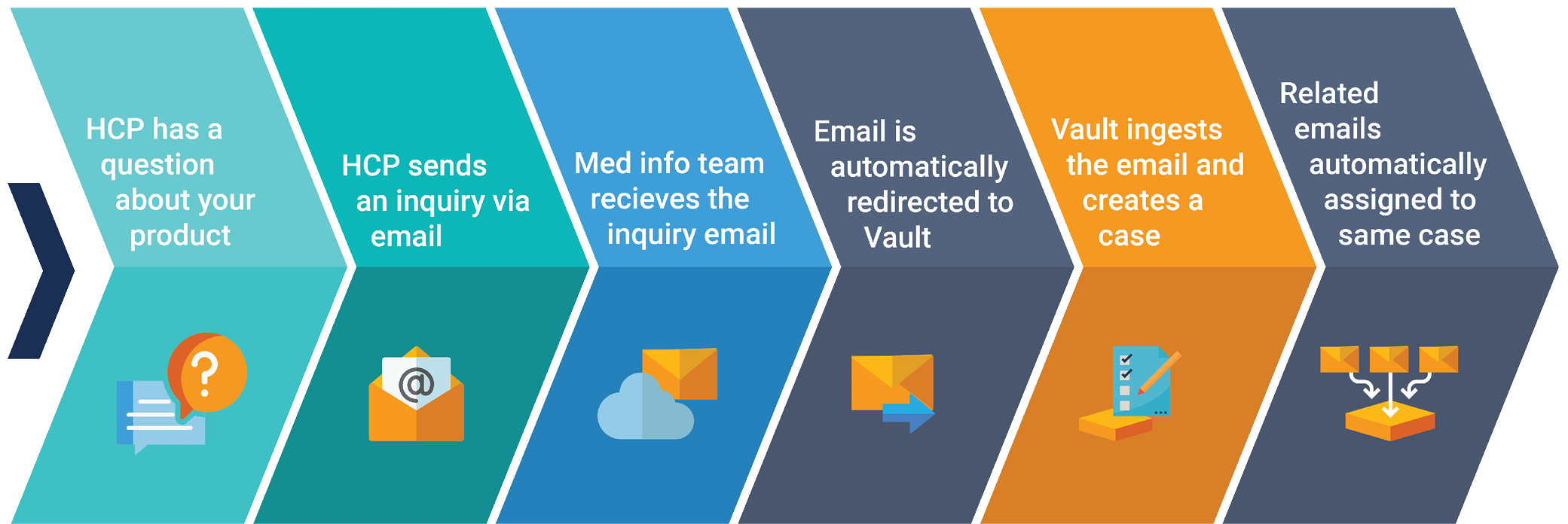
Automated Email Intake
Veeva MedInquiry automates the intake process for inquiry emails, drastically reducing the potential for error that comes with manual entry. When an HCP or patient sends an information request to a designated email address, that email is automatically redirected to Vault.
Once ingested, Vault creates a Case Request record with pertinent details from the inquiry so your team can immediately start building a response. Any future related emails — for instance, a follow-up email to a case response — are added to the same case so the user can see it all in one place.
Automation in Response Generation
Best practices for constructing responses have evolved. Whether the nature of a question is straightforward or complex, Veeva MedInquiry ensures you’re able to construct the best-fit response for the information requested.
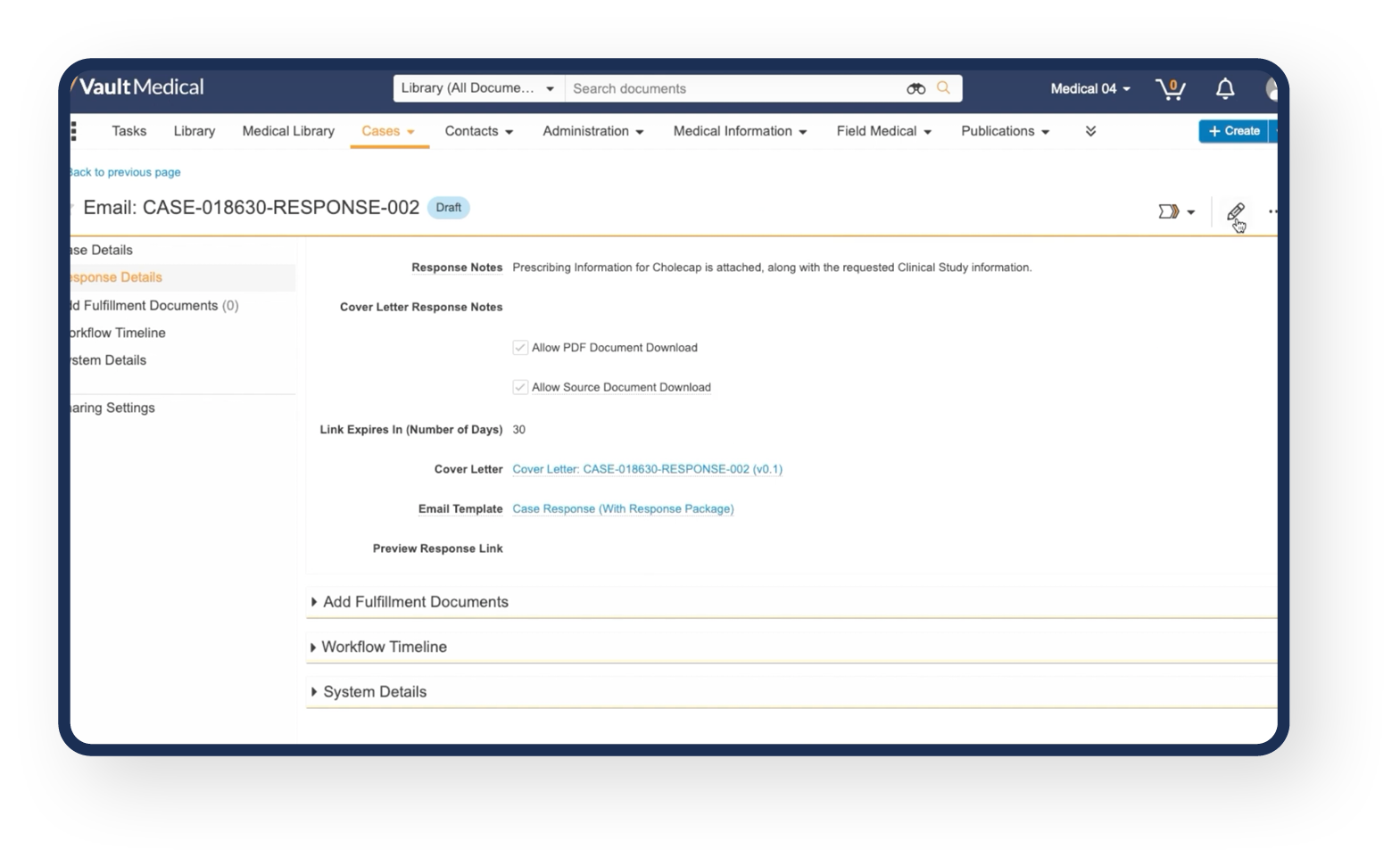
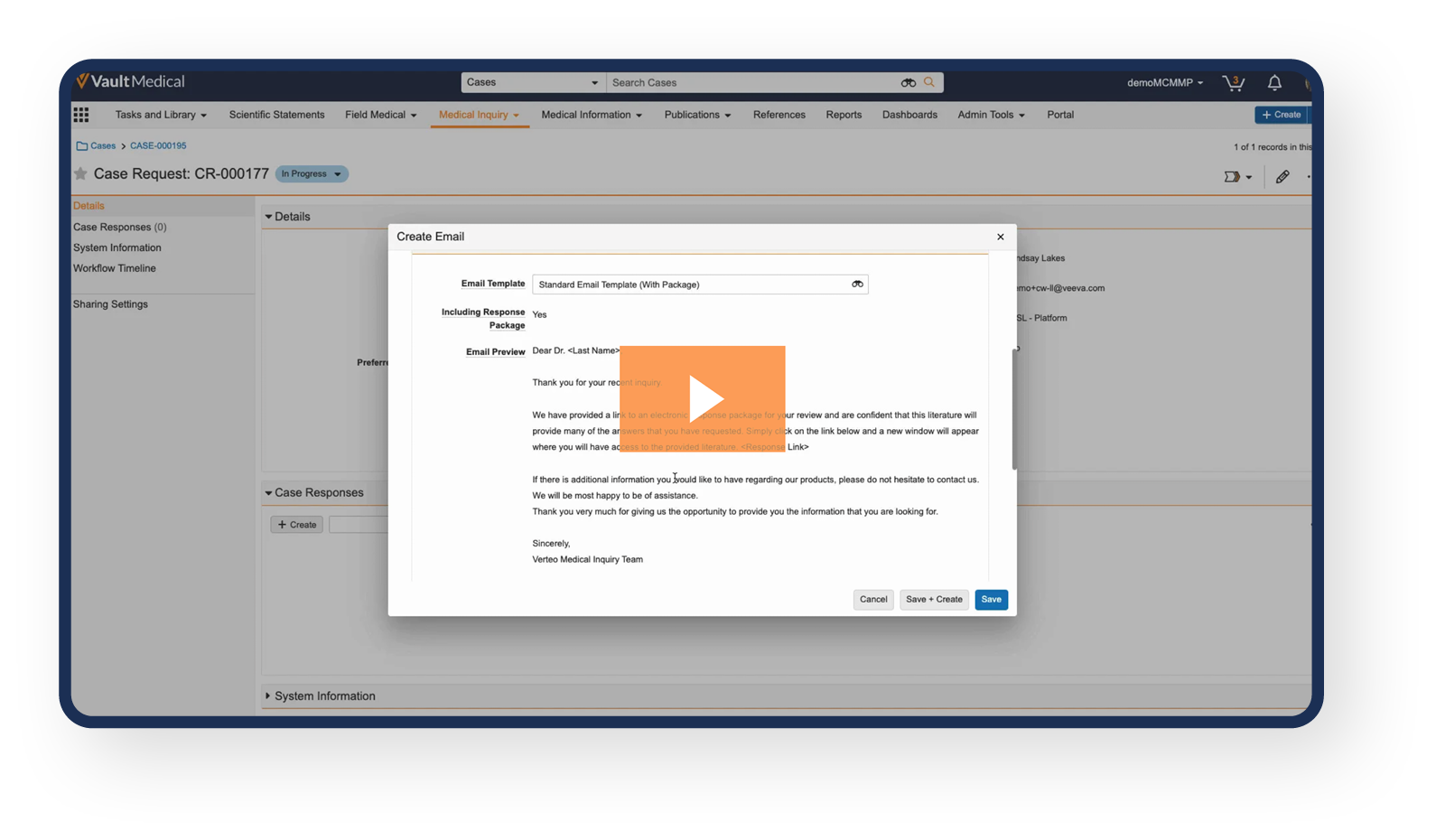
When it comes to constructing the response, Veeva MedInquiry allows you to pre-define a set of templates it can use to automatically draft your response in an appropriate format, with the right documentation and supporting evidence included in the package.
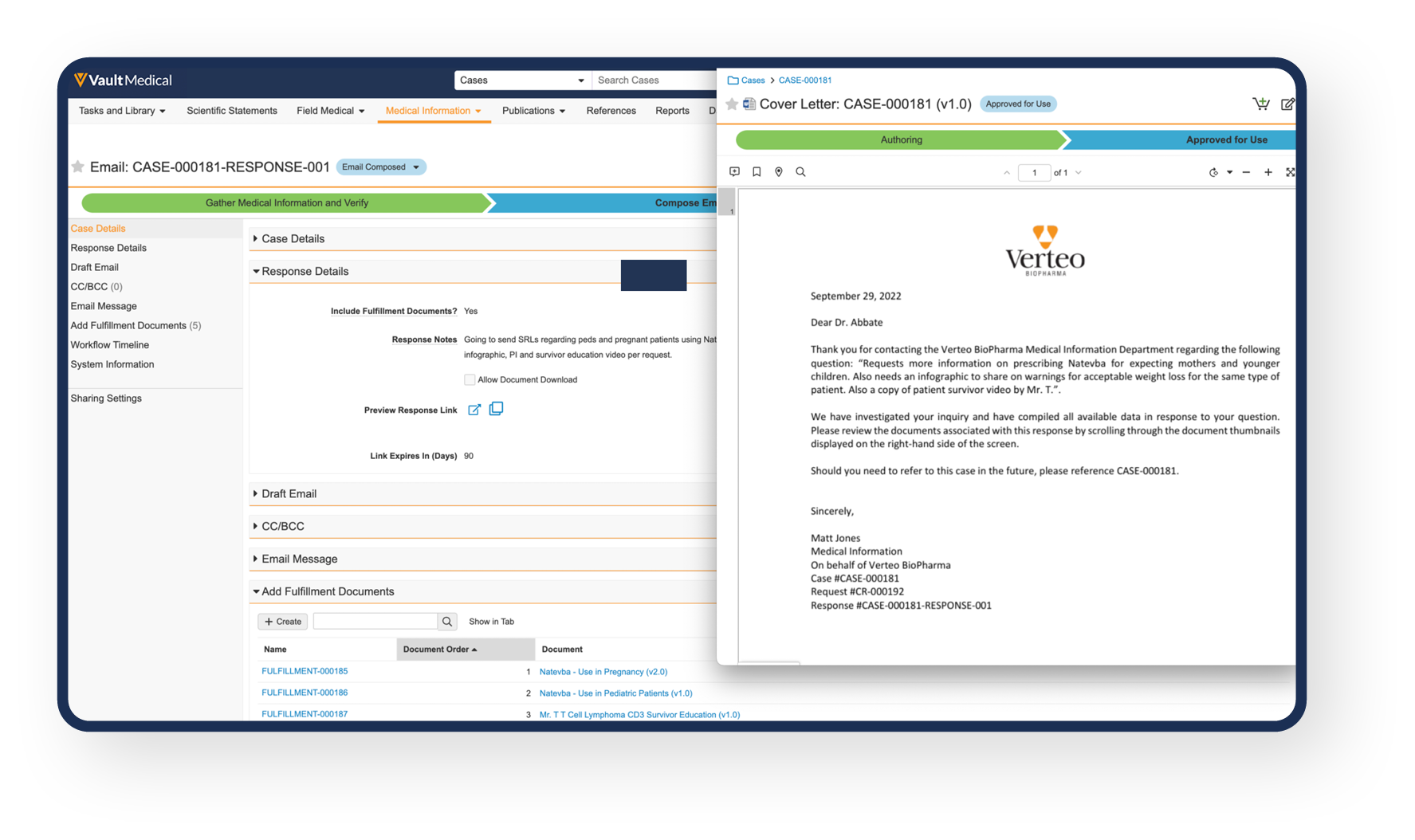
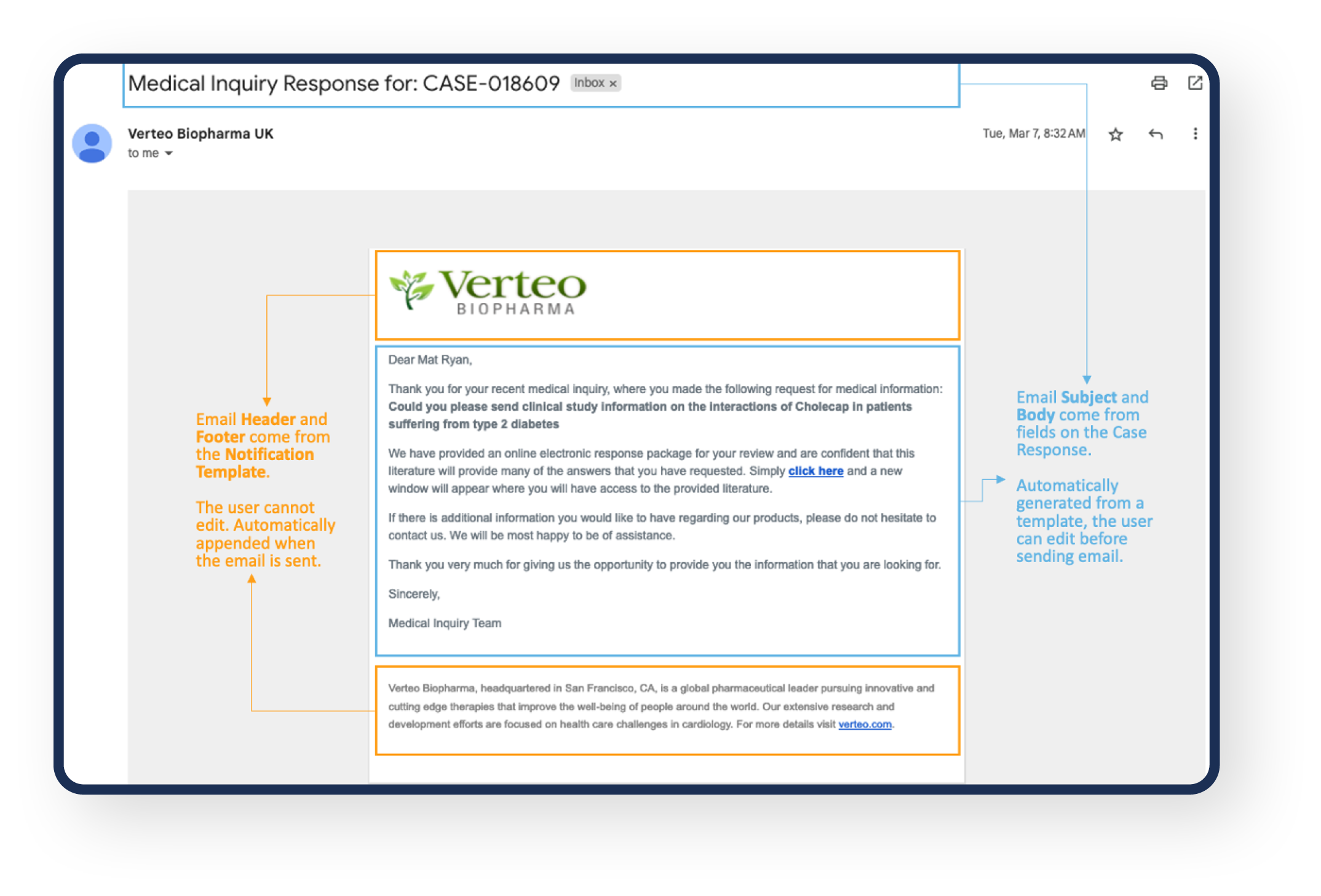
The email Vault composes can be edited further or sent as is. Emails are tracked so you can see whether your response was successfully delivered and are displayed in Vault so you can look back and see exactly what was sent.
Lastly, depending on the nature of the inquiry, you may wish to include additional documentation in the response package. Easily search and find key medical information documents from the library of approved content stored in your Vault.
The Response Package is the modern equivalent of emailing documents as attachments, with some added benefits:
- The Package will always be successfully delivered, with no attachment size constraints.
- The Package will always show the latest version of the document, ensuring the reference data is completely up to date.
- Rich content such as videos or infographics can easily be included alongside text.
Connect your Medical EcoSystem
Having a holistic view of where your inquiries are raised, what content is available for responses, and which cross-functional teams need visibility into a given interaction can only be possible by having a connected medical ecosystem. In addition to native Veeva CRM integration, Vault’s API can be used to integrate with intake mechanisms and other complementary systems your organization uses.
Veeva CRM
A native connection to Veeva CRM allows inquiries captured in the field to be automatically triaged in Veeva MedInquiry for the medical information team to respond. This connection can be data agnostic and used regardless of the source of your HCP reference data. Veeva MedInquiry will push status information back into CRM so field medical reps can see when the inquiry case is closed.
Veeva OpenData
Search for accurate, up-to-date reference data on millions of HCPs from OpenData via a dedicated connection to Veeva Network. This can be done directly from the medical inquiry user interface, so you don’t need to navigate away from the case intake page to find the contact information you need.
Complementary Systems
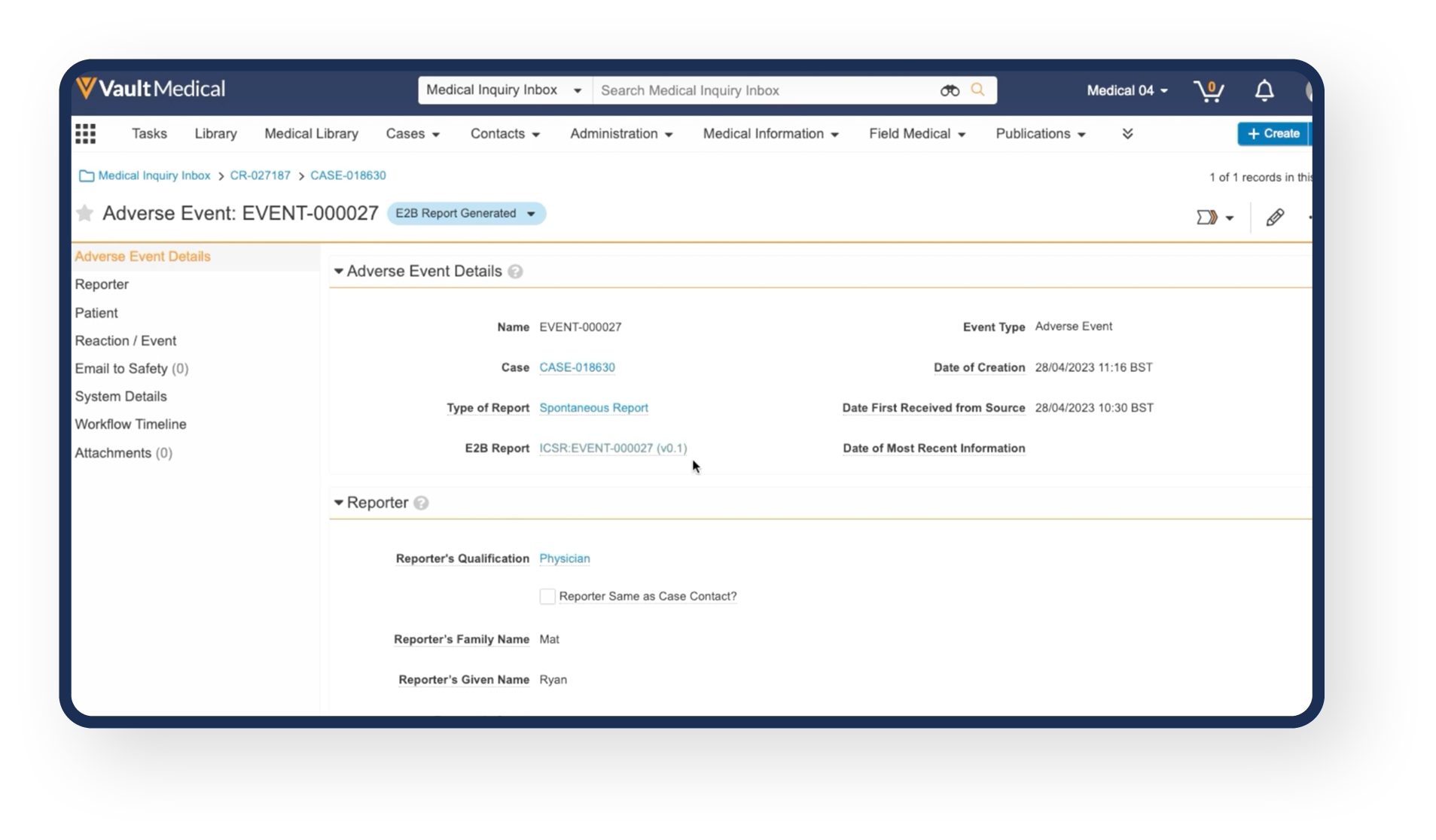
The Vault API is versatile and can share information between Vaults or to other complementary systems your teams may use. For example, med info teams are one of the first lines of customer interaction where new potential Adverse Events (AE) and Product Quality Complaints (PQC) may arise. Both AEs and PQCs can be captured in Veeva MedInquiry and easily directed to quality and safety teams. To simplify triage, an E2B(R3) file — the global standard format supported by safety — can be generated in Veeva MedInquiry and relayed to the appropriate team’s system.
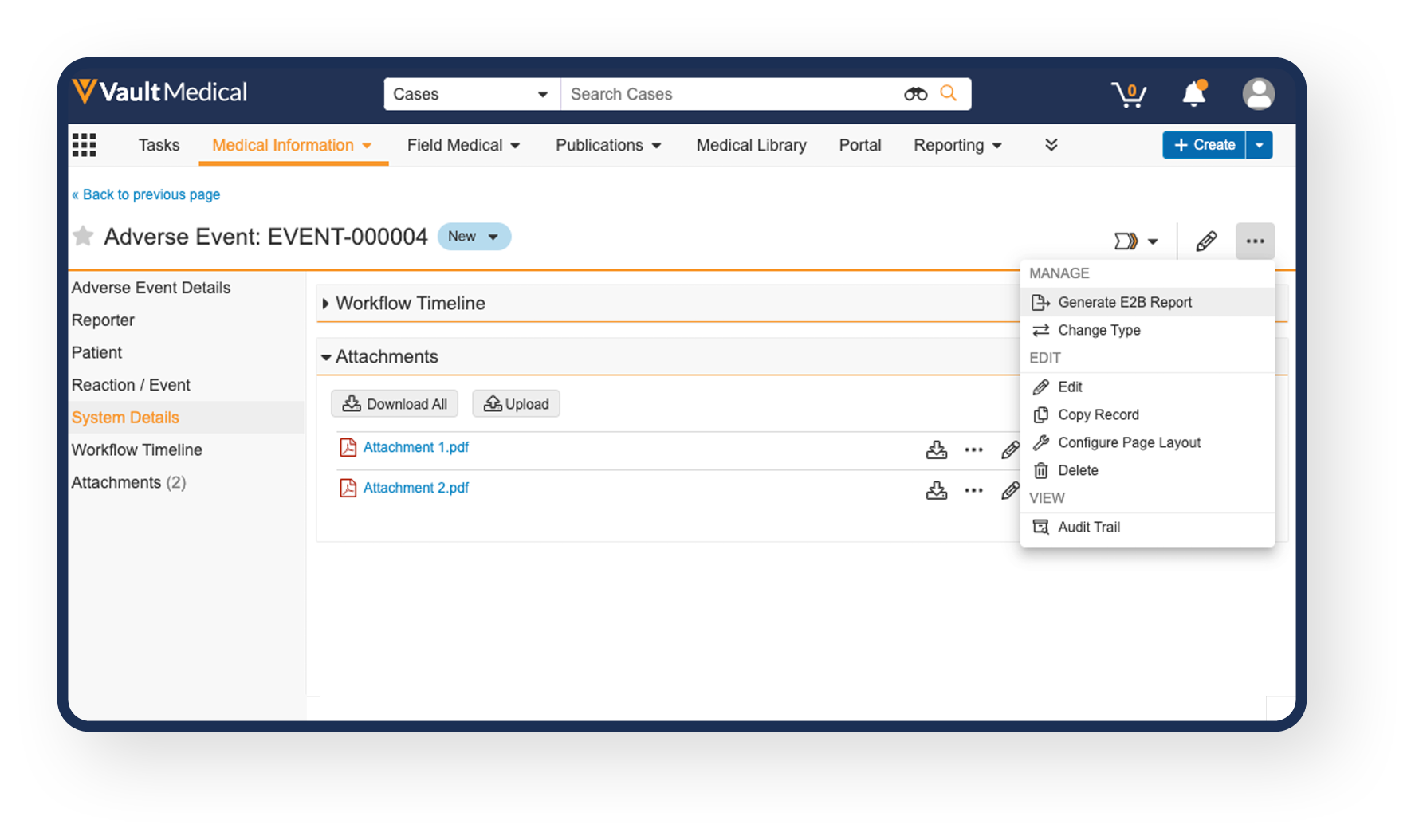
Share supporting content associated with AEs by adding files to the Vault record as attachments. Vault will encode these files within the E2B(R3) .xml format when generating the report.
Internal Email
Veeva MedInquiry also supports communications with colleagues who aren’t using the system.
You can send and receive emails with questions related to a case and add that activity directly to the record within MedInquiry.